# VxMarkScan Hardware Setup

## VxMarkScan Setup

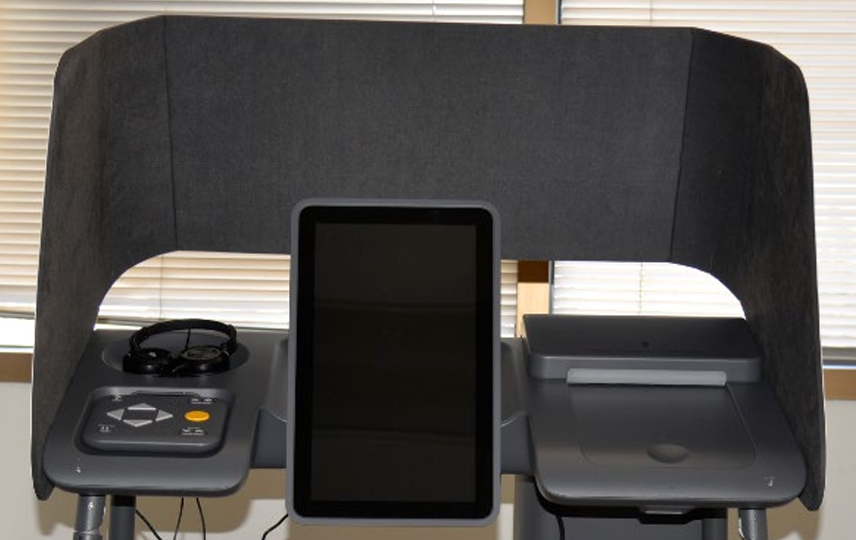
Part of the Precinct System, VxMarkScan is an accessible ballot marking device that gives voters the ability to mark their choices and print their ballot from a touchscreen.

**VxMarkScan** can be set up through the following steps:

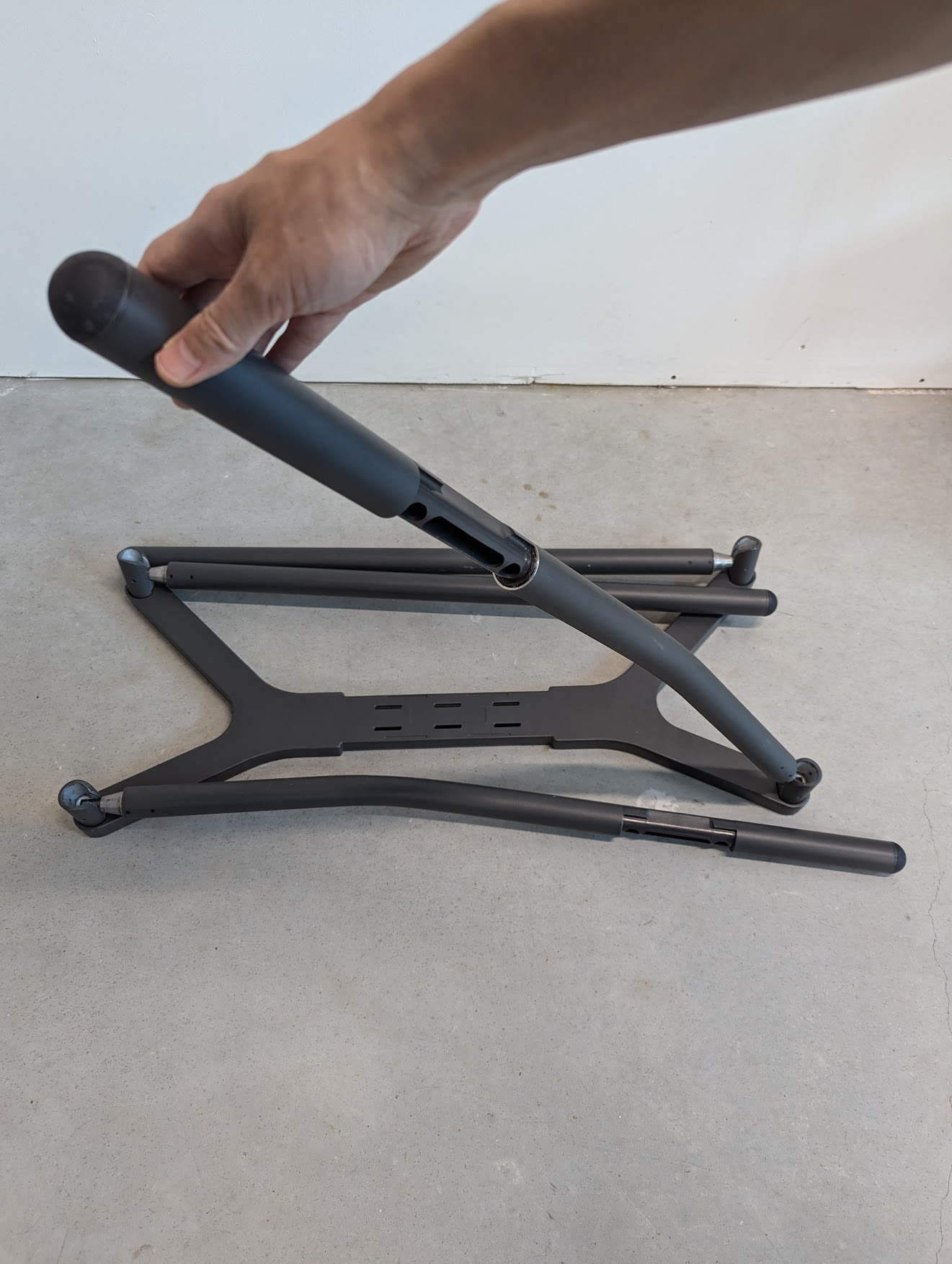
**Set up the stand**:

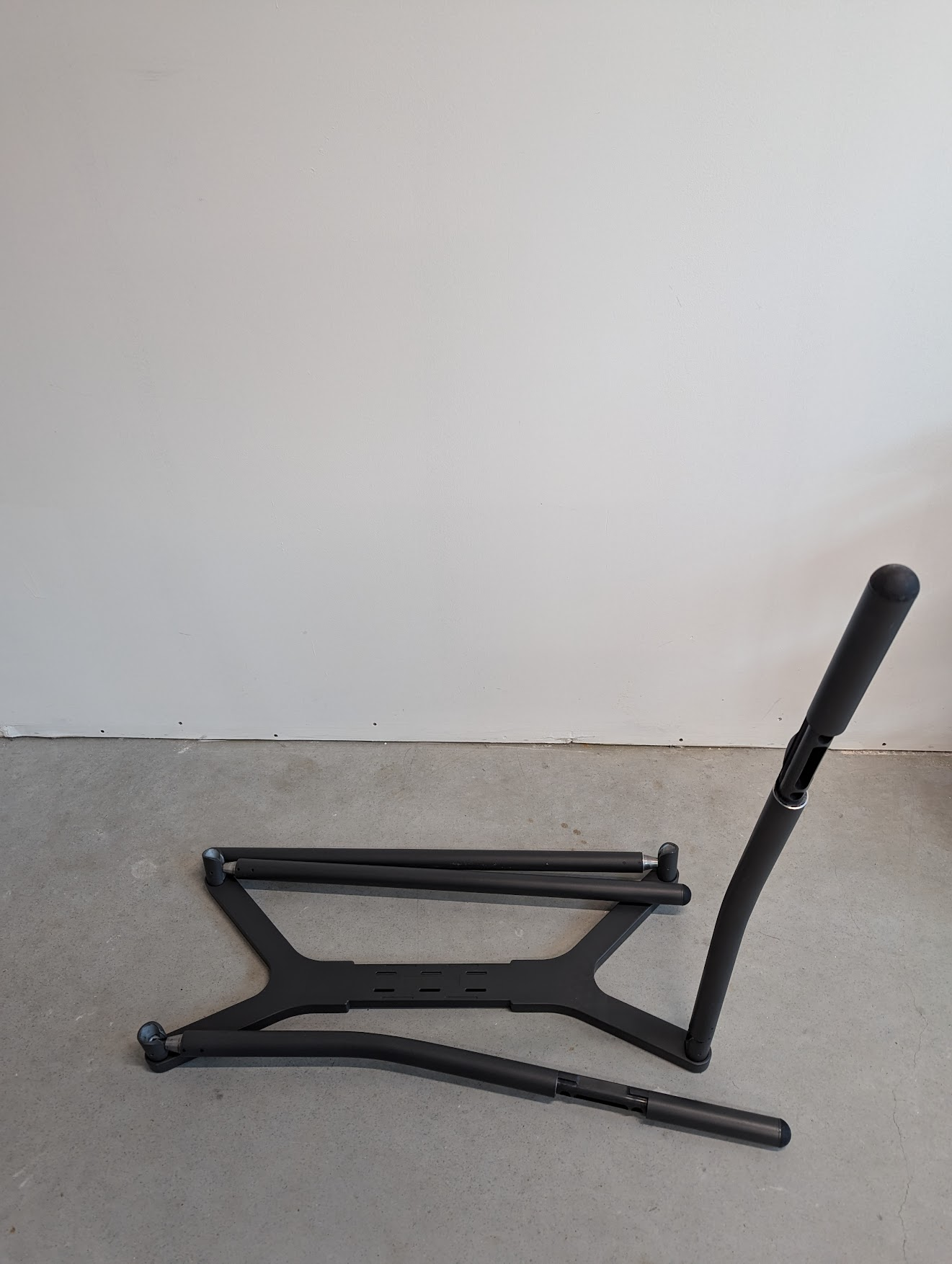
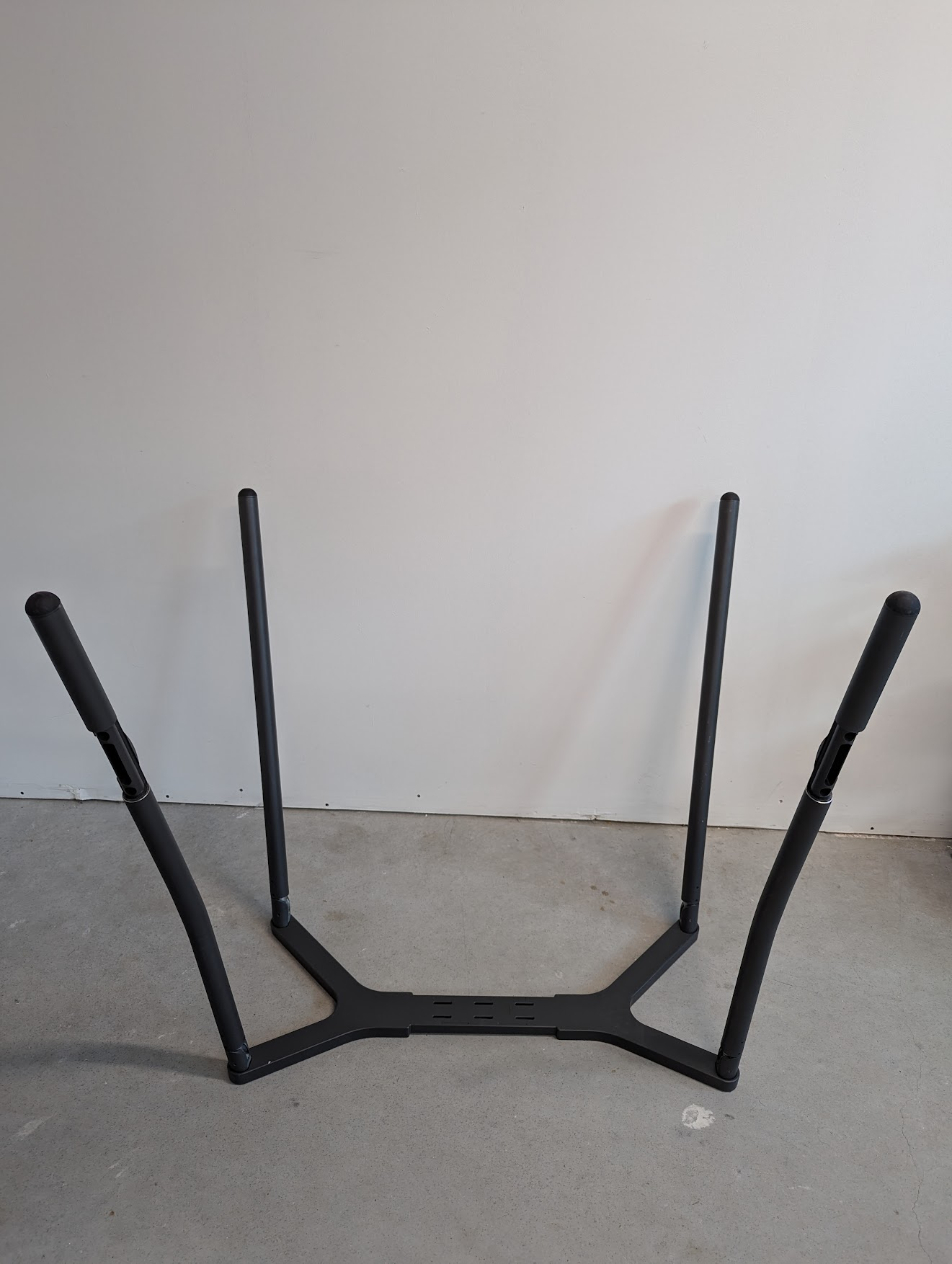
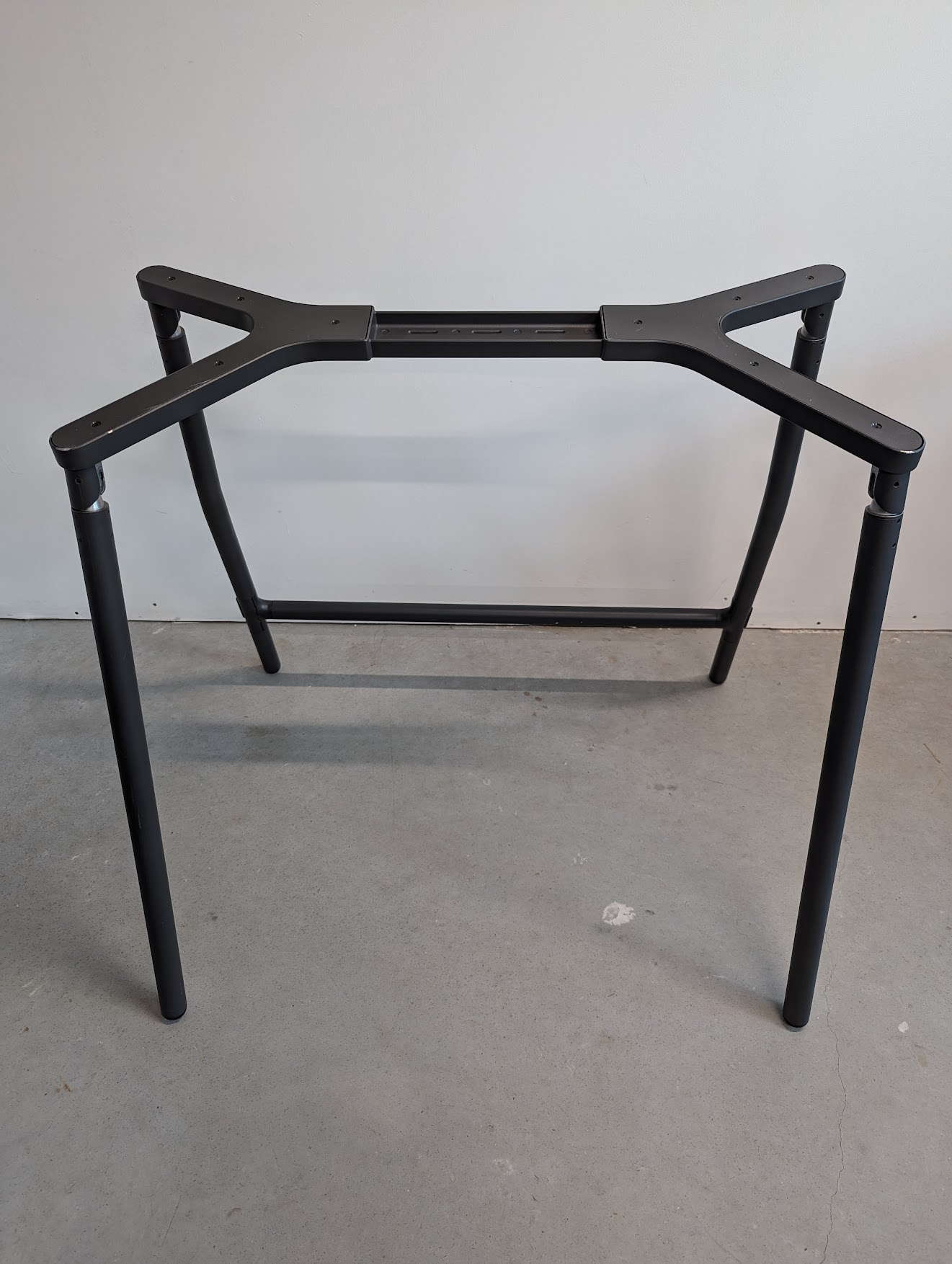
* [ ] With the legs facing up, raise a leg until it snaps in place
* [ ] Continue until all legs are raised
* [ ] Flip the stand up right

<div><figure><img src="https://2752676040-files.gitbook.io/~/files/v0/b/gitbook-x-prod.appspot.com/o/spaces%2FJtZutzGTdCzsGITrdiph%2Fuploads%2Fgit-blob-7a535f71c50a2d29d79ca1e3dd9f1212c2714f89%2FVxMark%20raising%20one%20leg.png?alt=media" alt=""><figcaption><p>Raise leg to snap in place</p></figcaption></figure> <figure><img src="https://2752676040-files.gitbook.io/~/files/v0/b/gitbook-x-prod.appspot.com/o/spaces%2FJtZutzGTdCzsGITrdiph%2Fuploads%2Fgit-blob-6cf7eb55f4e50fbc4246bd65bf23ef822c7adc0b%2FVxMark%20one%20leg%20raised.png?alt=media" alt=""><figcaption></figcaption></figure> <figure><img src="https://2752676040-files.gitbook.io/~/files/v0/b/gitbook-x-prod.appspot.com/o/spaces%2FJtZutzGTdCzsGITrdiph%2Fuploads%2Fgit-blob-75732acee9f0df184413e172d395ac52e0b1f215%2FVxMark%20all%20legs%20raised.png?alt=media" alt=""><figcaption><p>All legs in place</p></figcaption></figure></div>

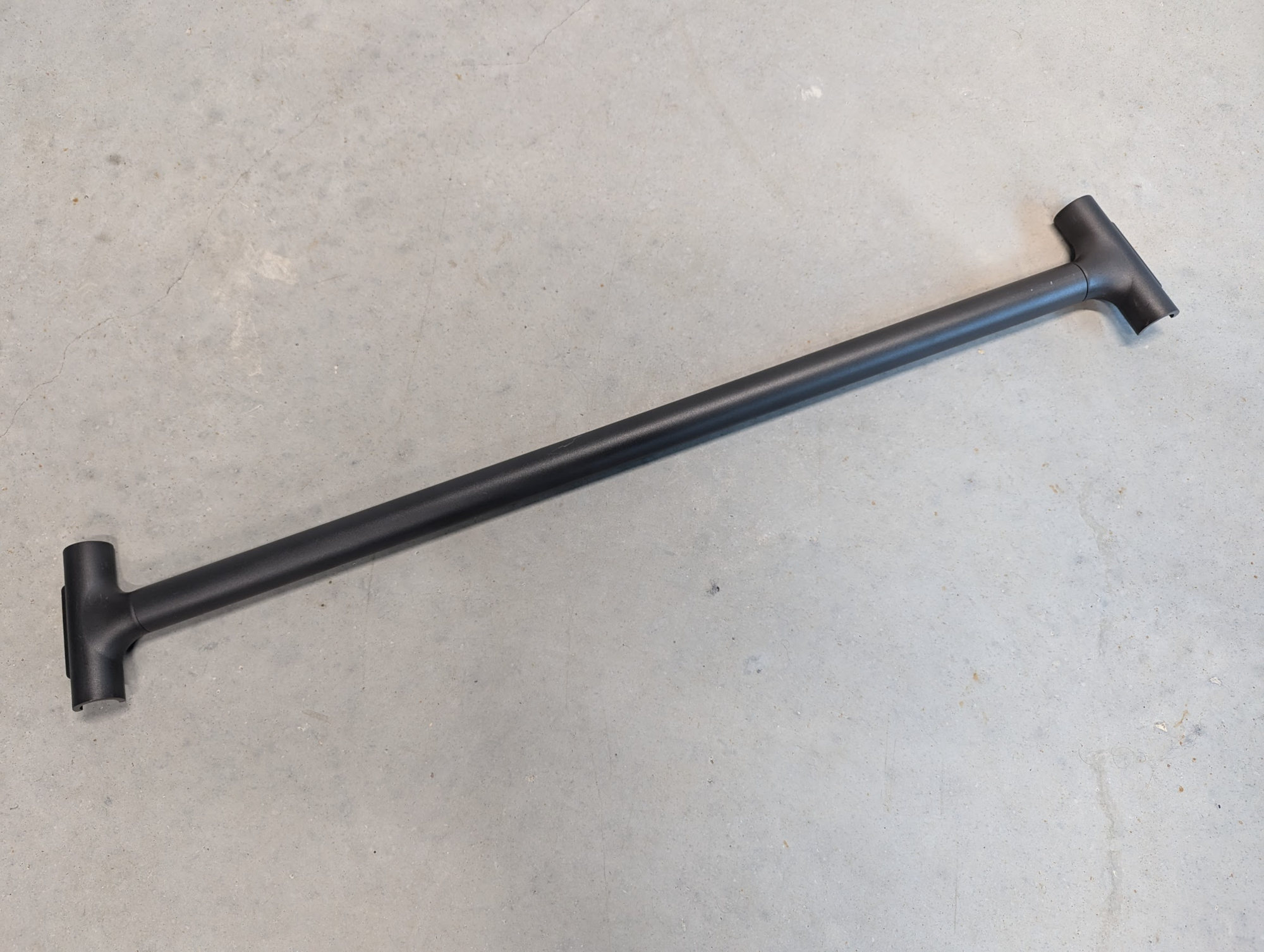
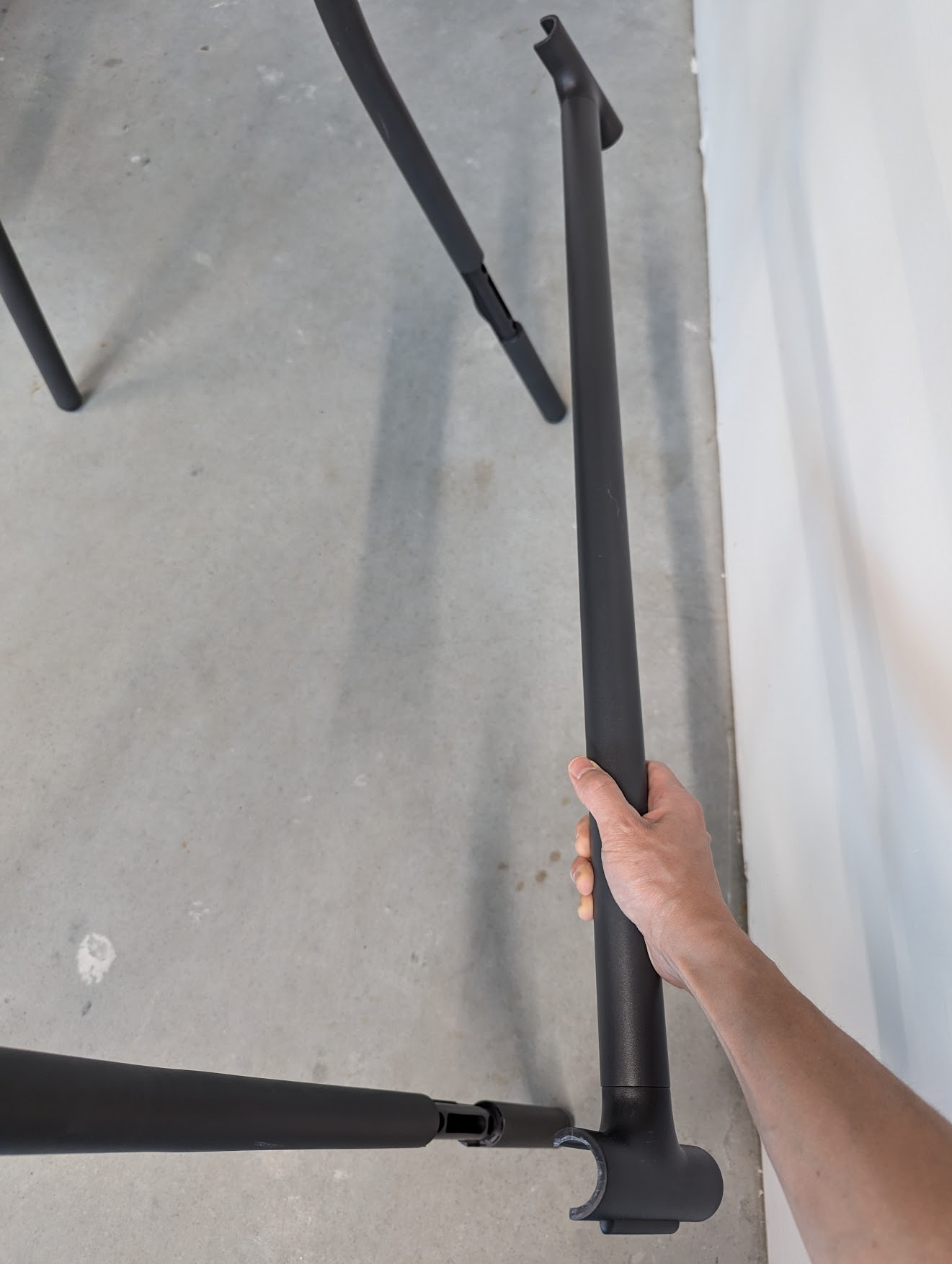
* [ ] Snap the support bar in place on the back two legs

<div><figure><img src="https://2752676040-files.gitbook.io/~/files/v0/b/gitbook-x-prod.appspot.com/o/spaces%2FJtZutzGTdCzsGITrdiph%2Fuploads%2Fgit-blob-3c6b4912f70776a341c20d1ad20e693d5a1b195d%2FVxMark%20support%20bar.png?alt=media" alt=""><figcaption><p>Support bar</p></figcaption></figure> <figure><img src="https://2752676040-files.gitbook.io/~/files/v0/b/gitbook-x-prod.appspot.com/o/spaces%2FJtZutzGTdCzsGITrdiph%2Fuploads%2Fgit-blob-cf4328af12b45098a3c839ec630ffddb83d80b59%2FVxMark%20put%20support%20bar%20in%20place.png?alt=media" alt=""><figcaption><p>Snap support bar to back legs</p></figcaption></figure> <figure><img src="https://2752676040-files.gitbook.io/~/files/v0/b/gitbook-x-prod.appspot.com/o/spaces%2FJtZutzGTdCzsGITrdiph%2Fuploads%2Fgit-blob-b92811150526f7ec03921791d792e512758fad0c%2FVxMark%20support%20bar%20installed.png?alt=media" alt=""><figcaption><p>Support bar installed</p></figcaption></figure></div>

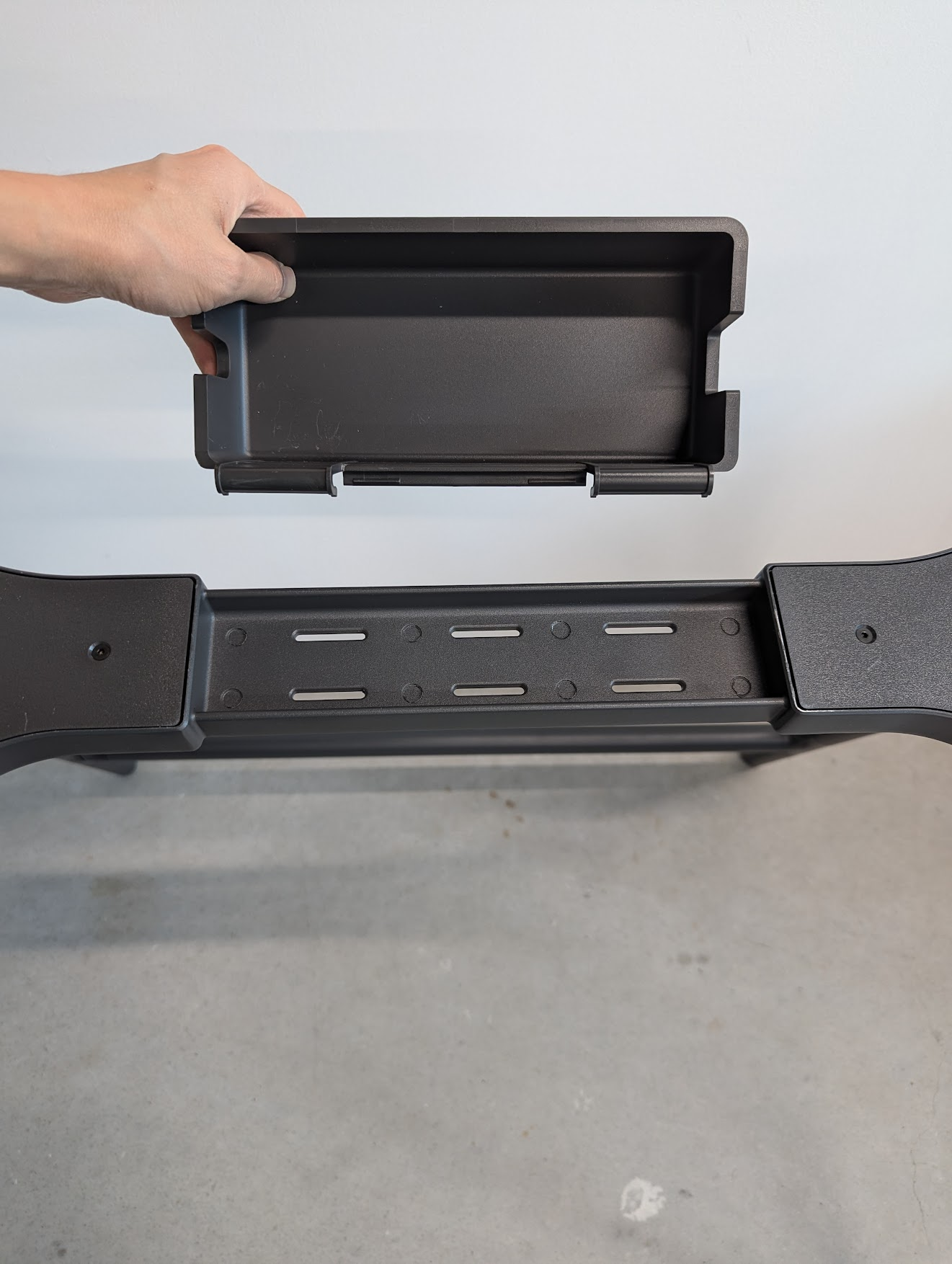
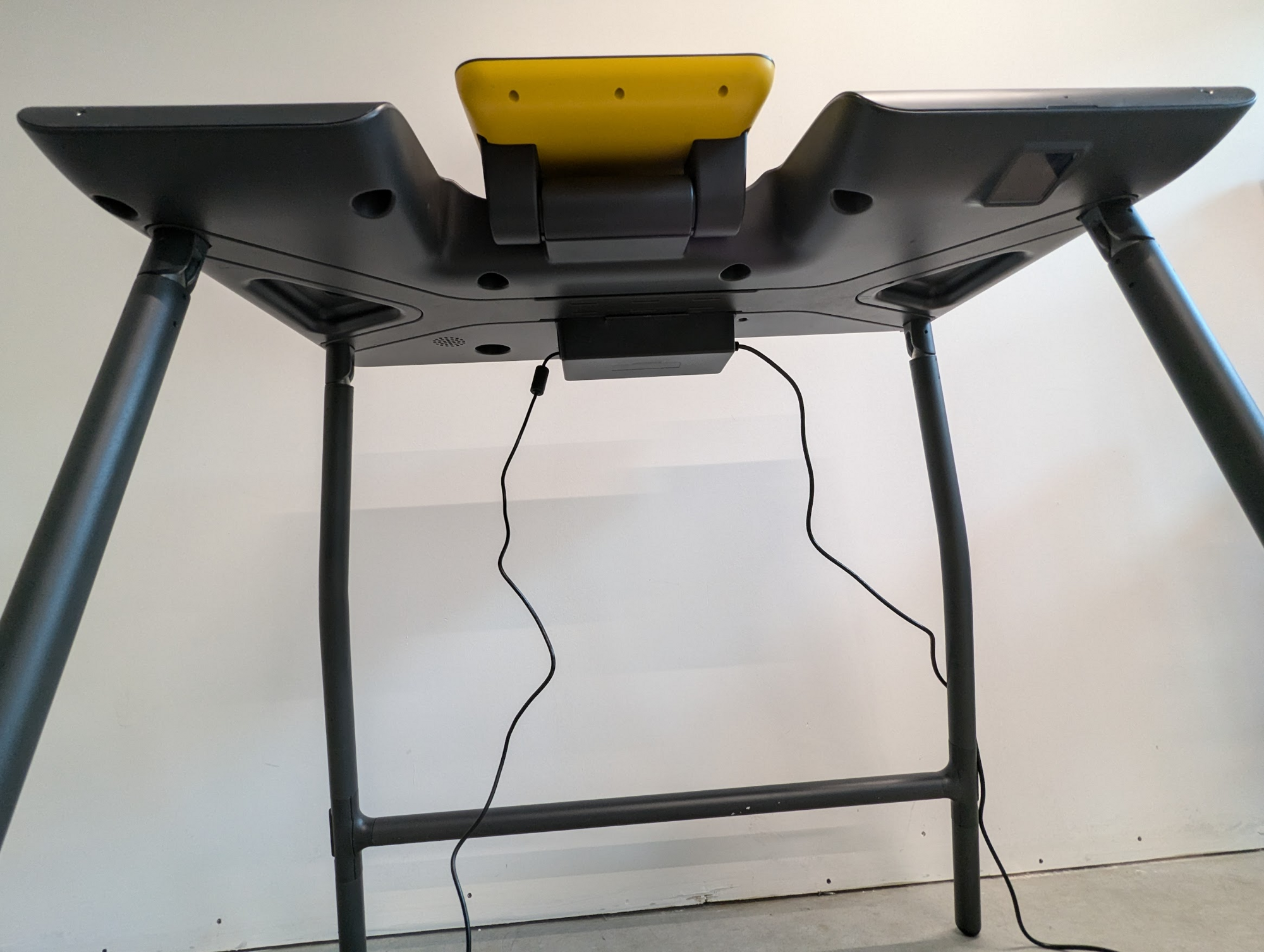
* [ ] Add power block holder to the back center on the top of the stand
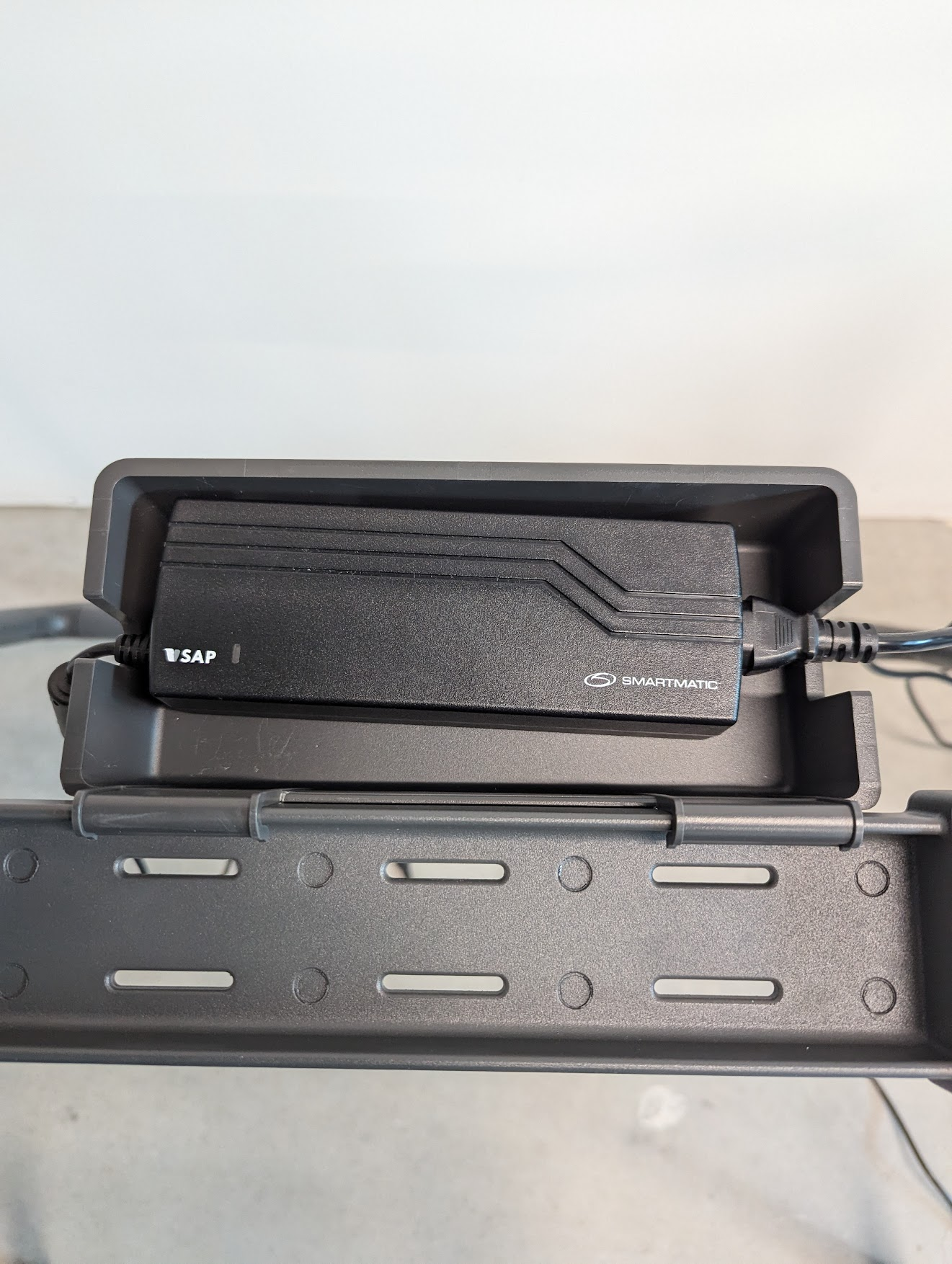
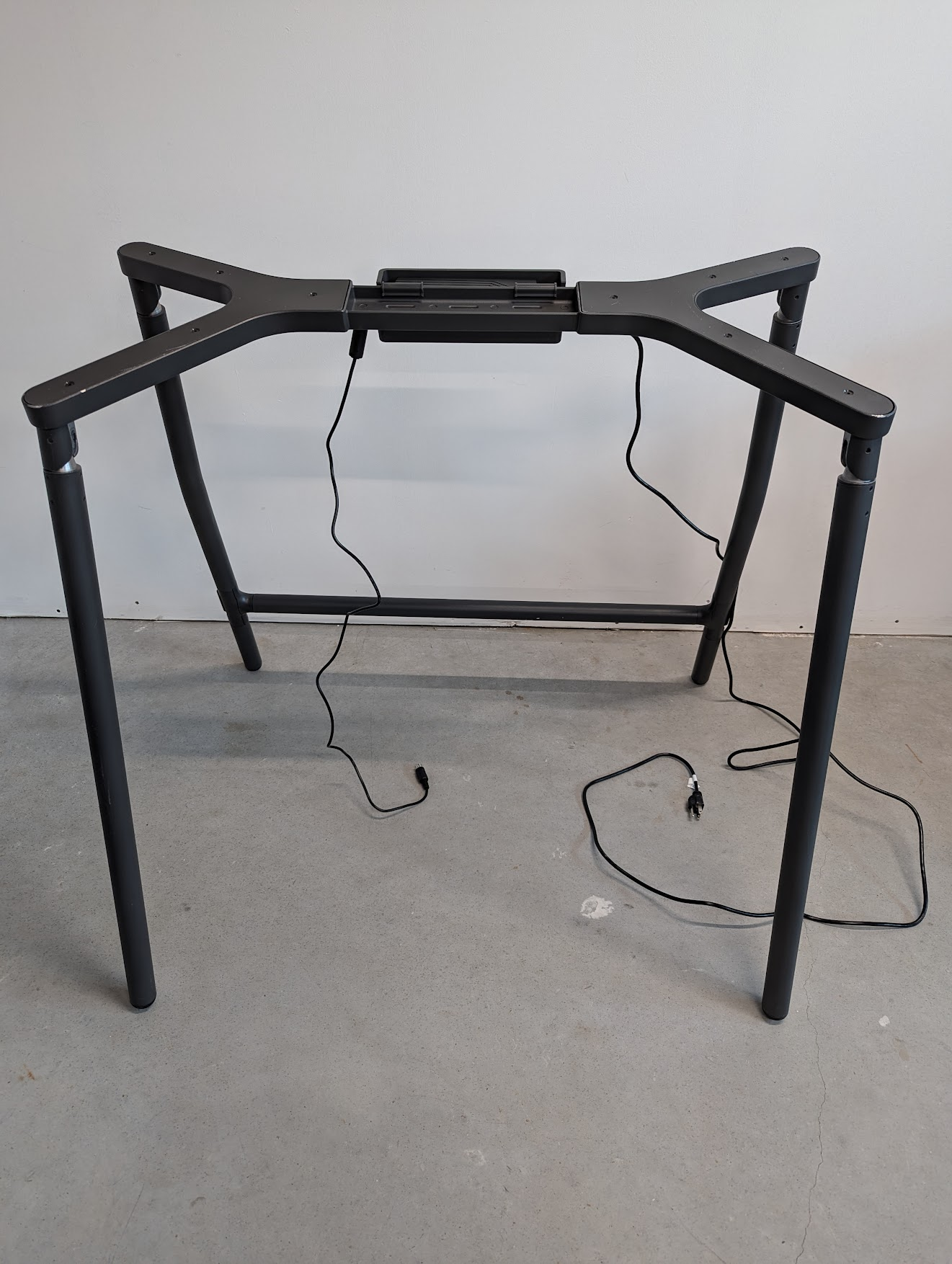
* [ ] Insert power block into the holder so cords lay out each side

<div><figure><img src="https://2752676040-files.gitbook.io/~/files/v0/b/gitbook-x-prod.appspot.com/o/spaces%2FJtZutzGTdCzsGITrdiph%2Fuploads%2Fgit-blob-ce0a77dd3326b9e081a49364c47452a918fd31d4%2FVxMark%20add%20power%20cord%20holder.png?alt=media" alt=""><figcaption><p>Add power block holder</p></figcaption></figure> <figure><img src="https://2752676040-files.gitbook.io/~/files/v0/b/gitbook-x-prod.appspot.com/o/spaces%2FJtZutzGTdCzsGITrdiph%2Fuploads%2Fgit-blob-eebd198ba0f4f22caa8194a0c4f0c41779f3d9d2%2FVxMark%20power%20block%20in%20holder.png?alt=media" alt=""><figcaption><p>Insert power block into the holder</p></figcaption></figure> <figure><img src="https://2752676040-files.gitbook.io/~/files/v0/b/gitbook-x-prod.appspot.com/o/spaces%2FJtZutzGTdCzsGITrdiph%2Fuploads%2Fgit-blob-f2f3534ebf3e6ae71bf52357a7e3d3c366fbf2f5%2FVxMark%20stand%20power%20cord%20holder%20and%20power%20block%20istalled.png?alt=media" alt=""><figcaption><p>Power block and holder installed</p></figcaption></figure></div>

**Set up the ballot marking device:**

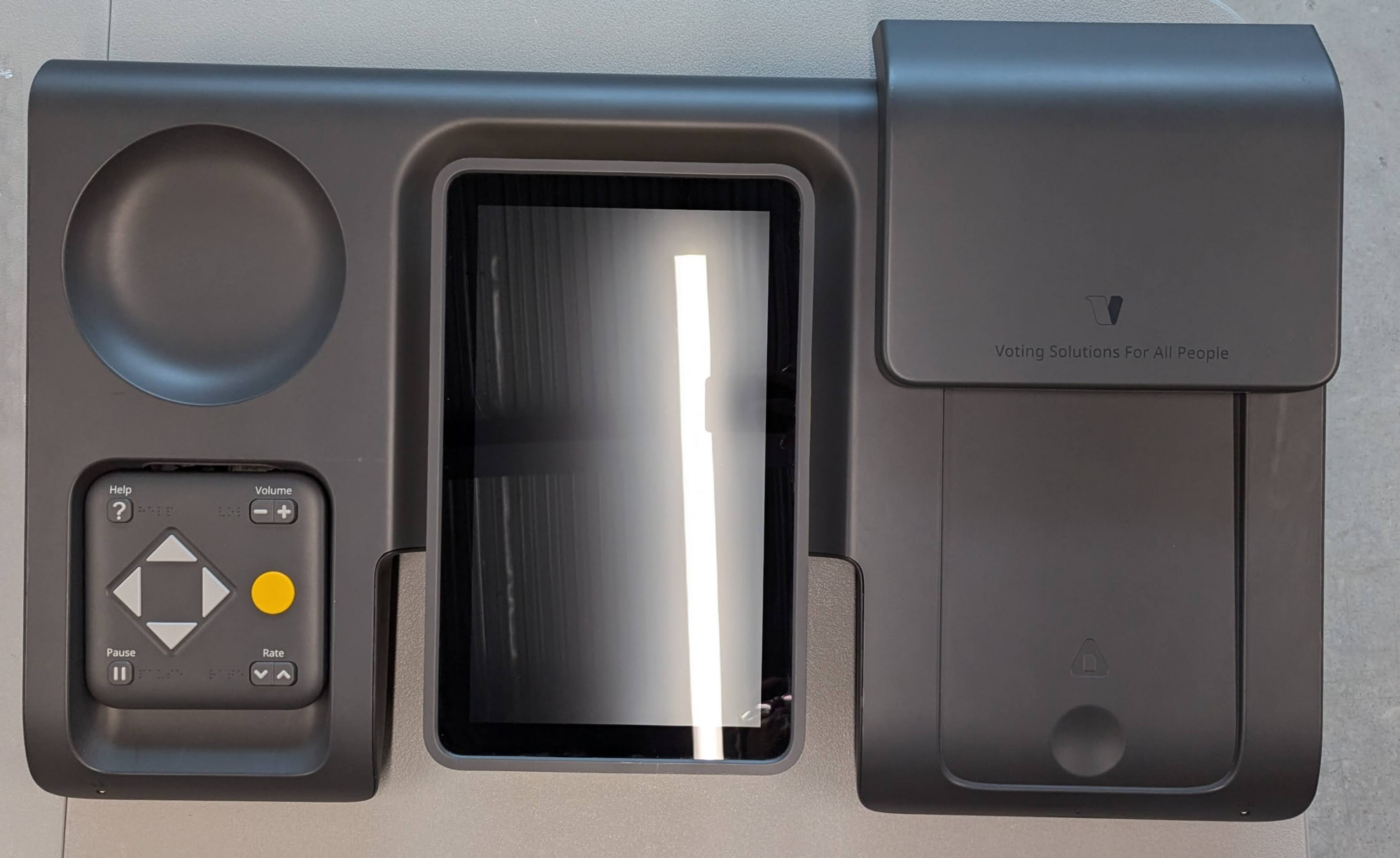
* [ ] Using two people, lift and place the ballot marking device on the stand by aligning the stand bars with the bottom

<div><figure><img src="https://2752676040-files.gitbook.io/~/files/v0/b/gitbook-x-prod.appspot.com/o/spaces%2FJtZutzGTdCzsGITrdiph%2Fuploads%2Fgit-blob-7280b1b11744a1a9a16cd0b7cd6521bc5a8c1cbb%2FVxMark%20main%20unit.png?alt=media" alt=""><figcaption><p>Ballot marking device</p></figcaption></figure> <figure><img src="https://2752676040-files.gitbook.io/~/files/v0/b/gitbook-x-prod.appspot.com/o/spaces%2FJtZutzGTdCzsGITrdiph%2Fuploads%2Fgit-blob-5a41de55ce4ea883f4dd5af58f416f836314c5cb%2FVxMark%20place%20unit%20on%20legs.png?alt=media" alt=""><figcaption><p>Place ballot marking device on the stand</p></figcaption></figure></div>

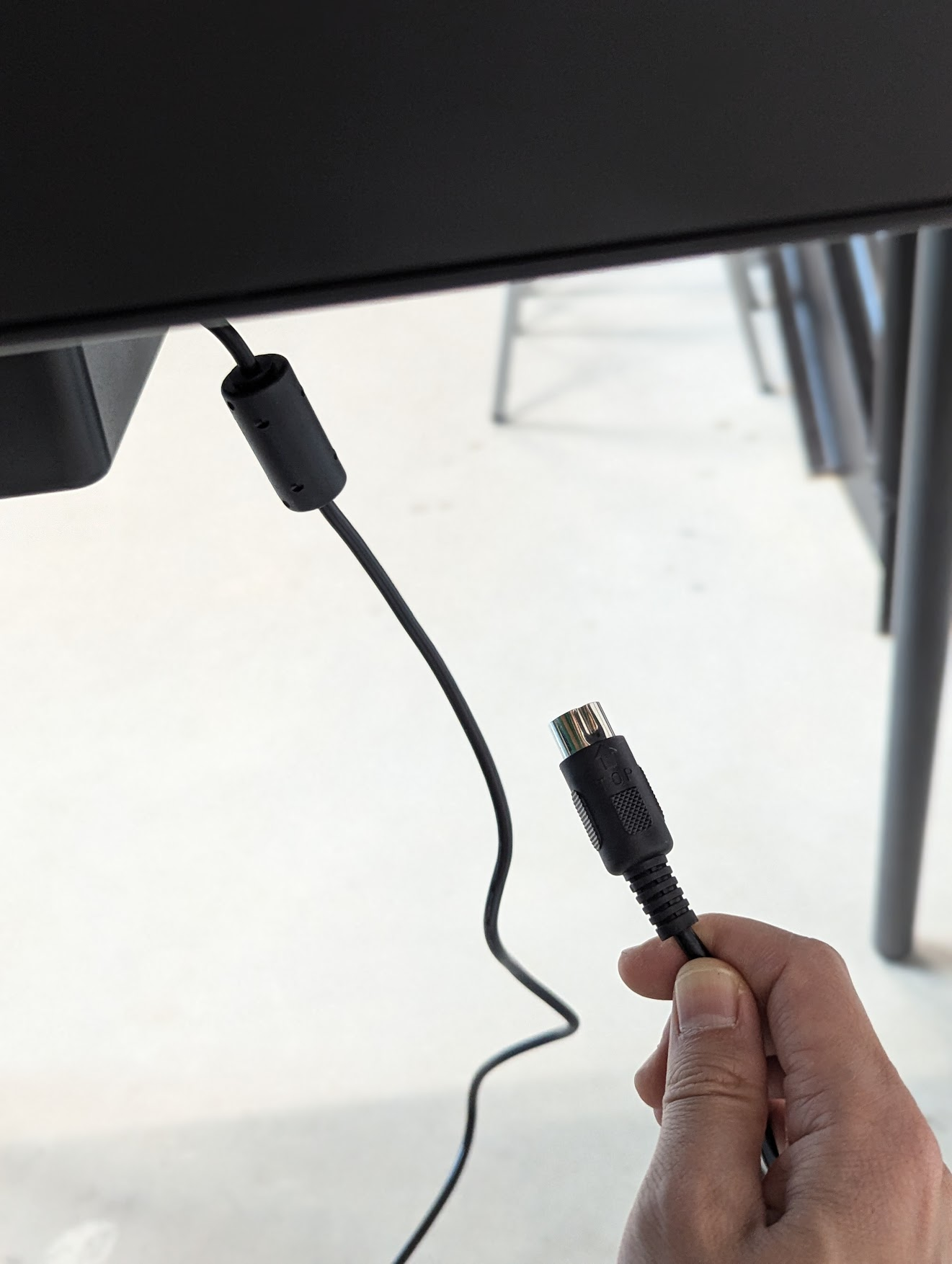
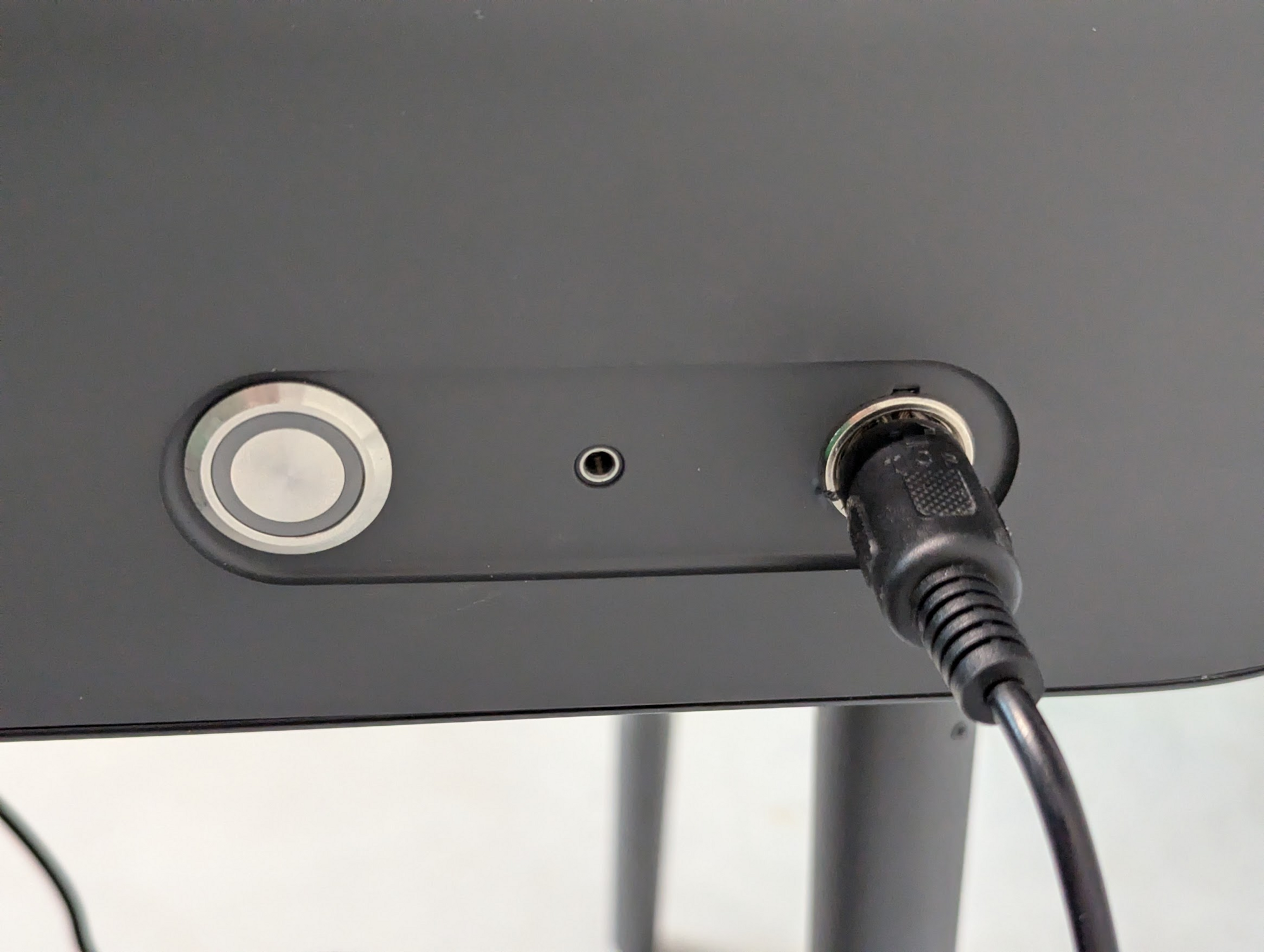
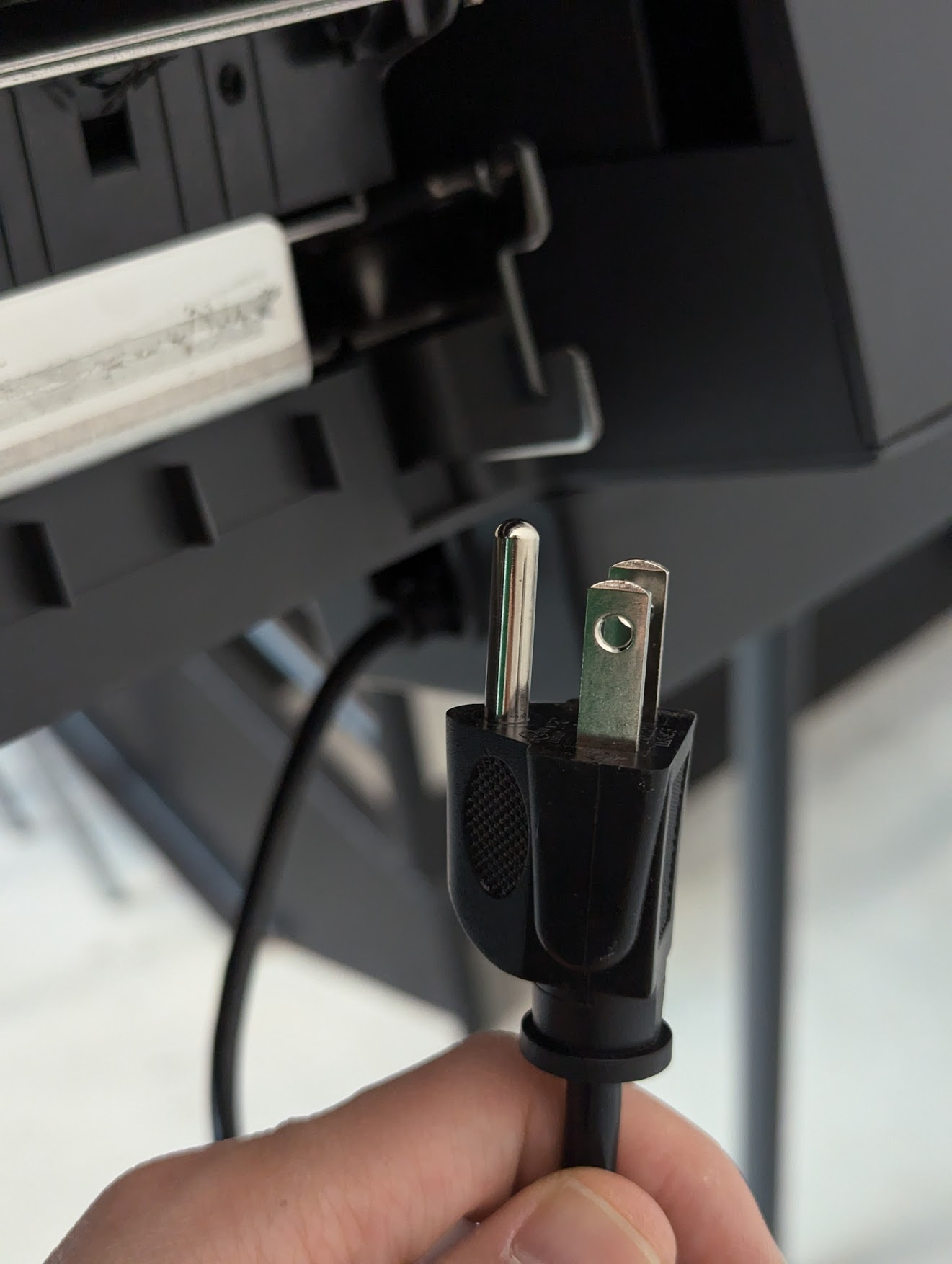
* [ ] Plug in the power cord connector to the back of the ballot marking device
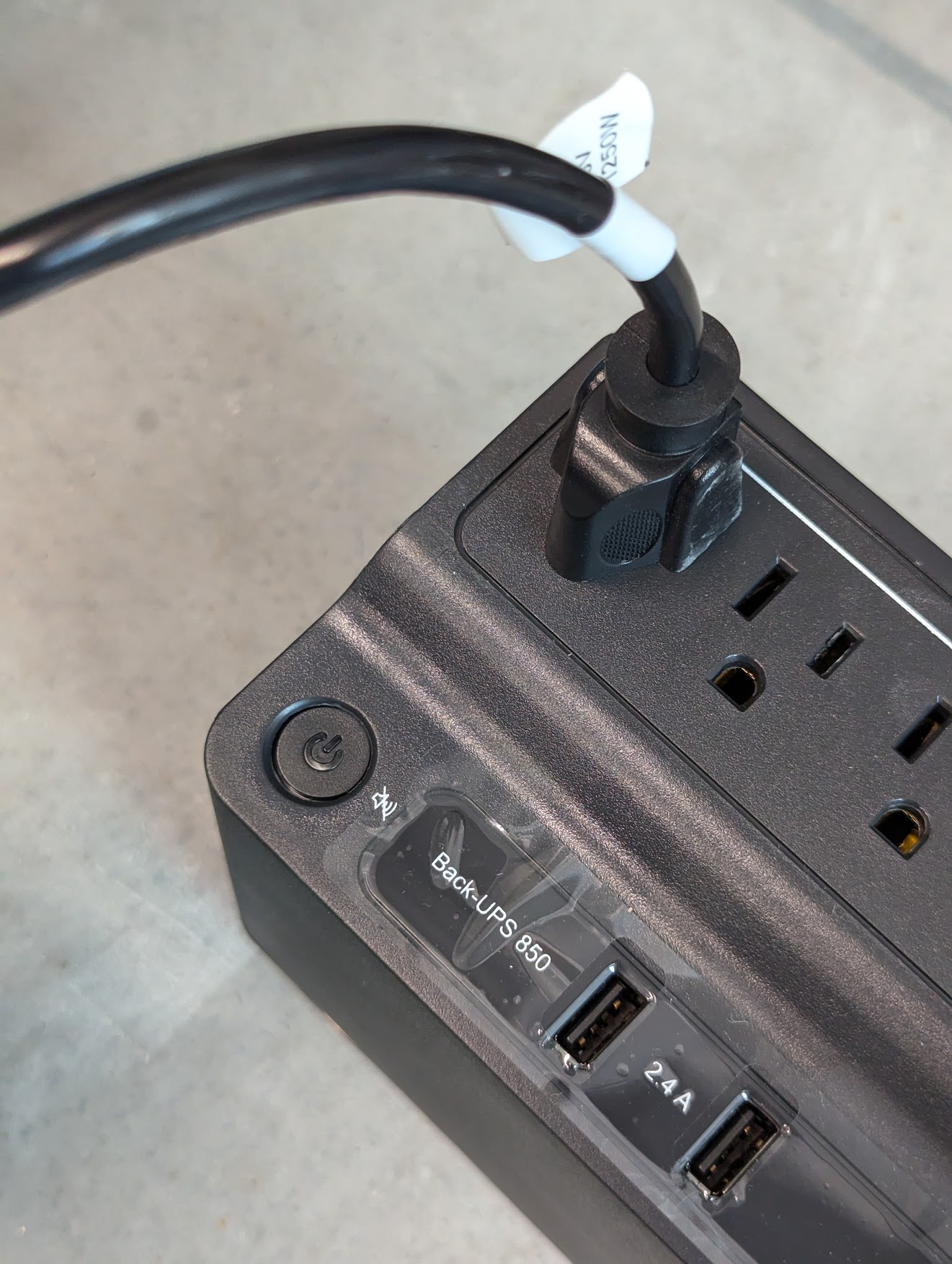
* [ ] Plug the power cord into the UPS battery backup

<div><figure><img src="https://2752676040-files.gitbook.io/~/files/v0/b/gitbook-x-prod.appspot.com/o/spaces%2FJtZutzGTdCzsGITrdiph%2Fuploads%2Fgit-blob-72e7b2d5a070354d058796a81e93337556272d77%2FVxMark%20unit%20plug.png?alt=media" alt=""><figcaption><p>Power cord connector</p></figcaption></figure> <figure><img src="https://2752676040-files.gitbook.io/~/files/v0/b/gitbook-x-prod.appspot.com/o/spaces%2FJtZutzGTdCzsGITrdiph%2Fuploads%2Fgit-blob-6c7e71d8780378c41d13c58e5c09ddc7b9089245%2FVxMark%20unit%20plug%20plugged%20in.png?alt=media" alt=""><figcaption><p>Power cord connector plugged in</p></figcaption></figure> <figure><img src="https://2752676040-files.gitbook.io/~/files/v0/b/gitbook-x-prod.appspot.com/o/spaces%2FJtZutzGTdCzsGITrdiph%2Fuploads%2Fgit-blob-92d8e65079e464d46f7bb2ec8bc2895638ce73d8%2FVxMark%20power%20cord.png?alt=media" alt=""><figcaption><p>Power plug</p></figcaption></figure> <figure><img src="https://2752676040-files.gitbook.io/~/files/v0/b/gitbook-x-prod.appspot.com/o/spaces%2FJtZutzGTdCzsGITrdiph%2Fuploads%2Fgit-blob-2cd8452792315704a8bd250efb702cd973211bb9%2FVxMark%20power%20cord%20plugged%20into%20UPS.png?alt=media" alt=""><figcaption><p>Power cord plugged in</p></figcaption></figure></div>

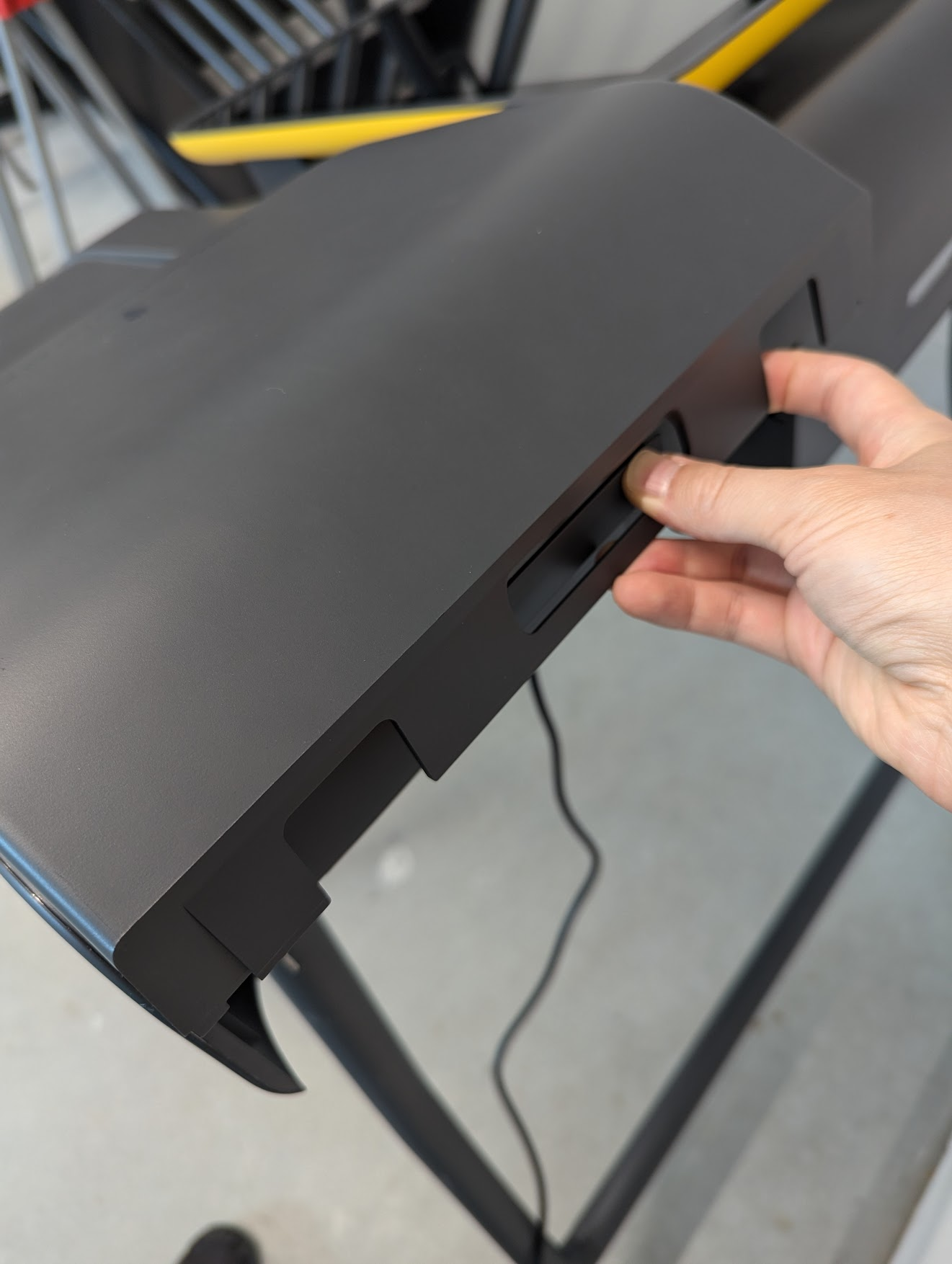
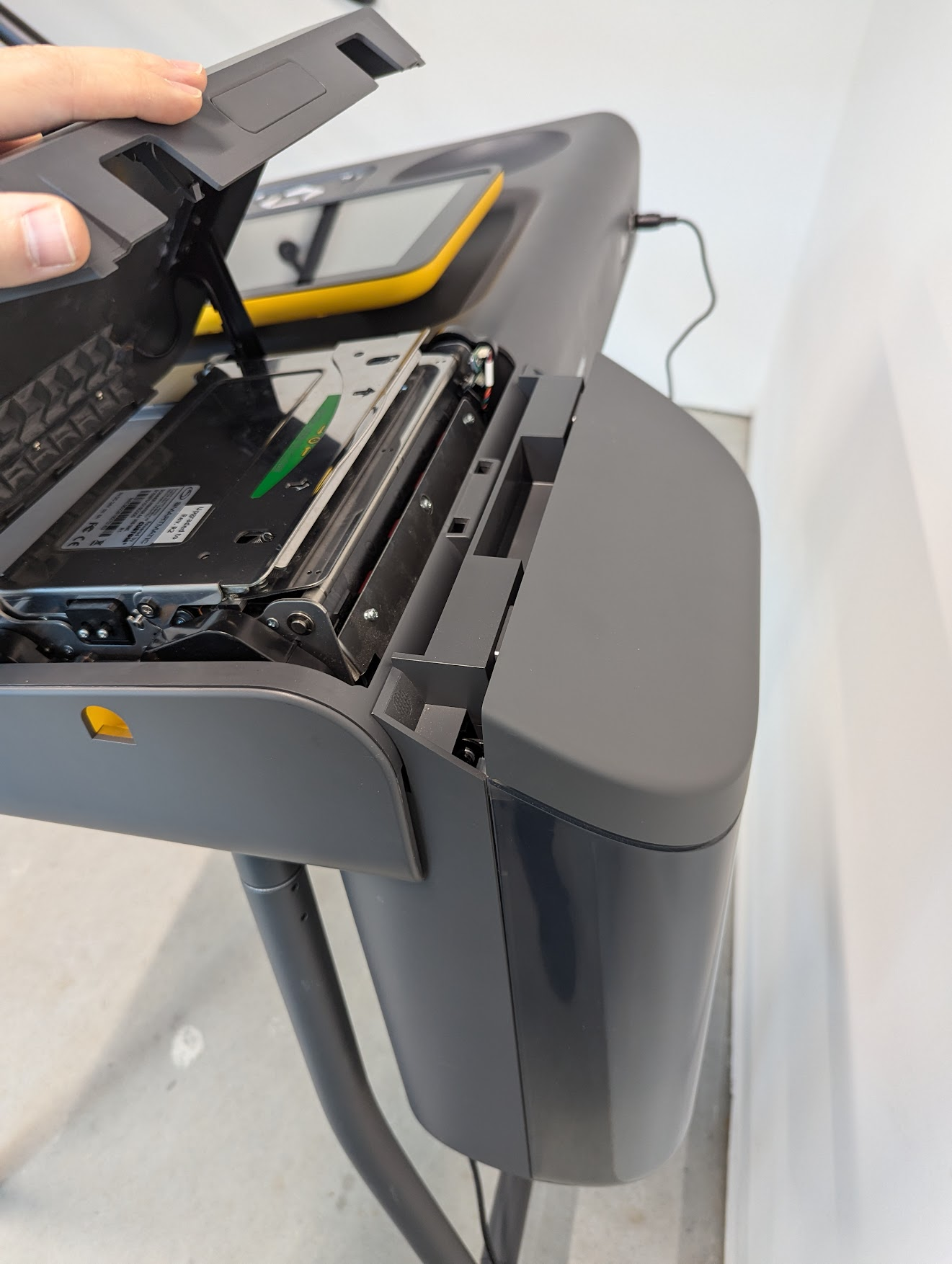
* [ ] Push the printer-scanner cover release button in
* [ ] Open the printer-scanner cover
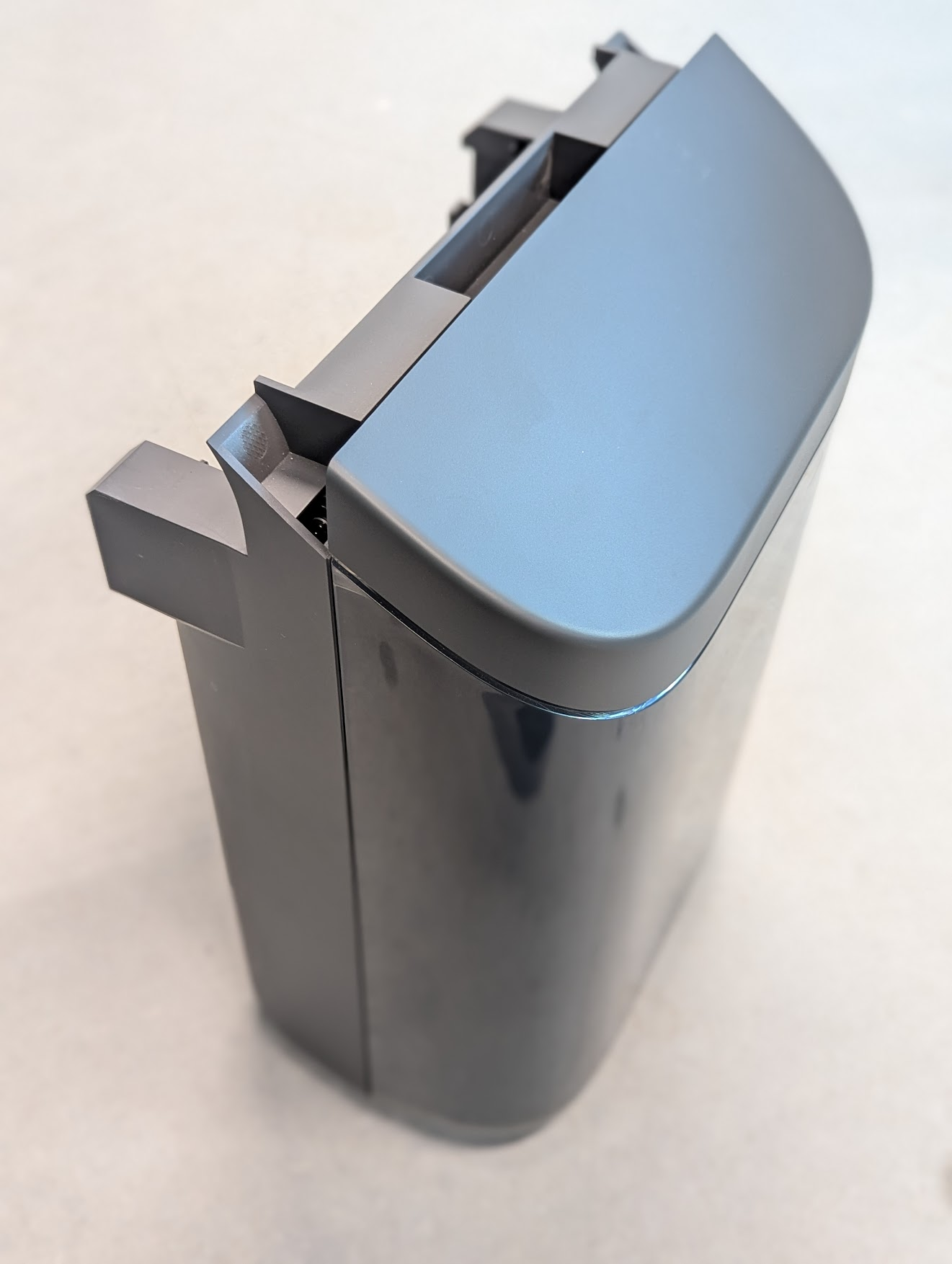
* [ ] Slide the ballot bin into place
* [ ] Close the printer-scanner cover
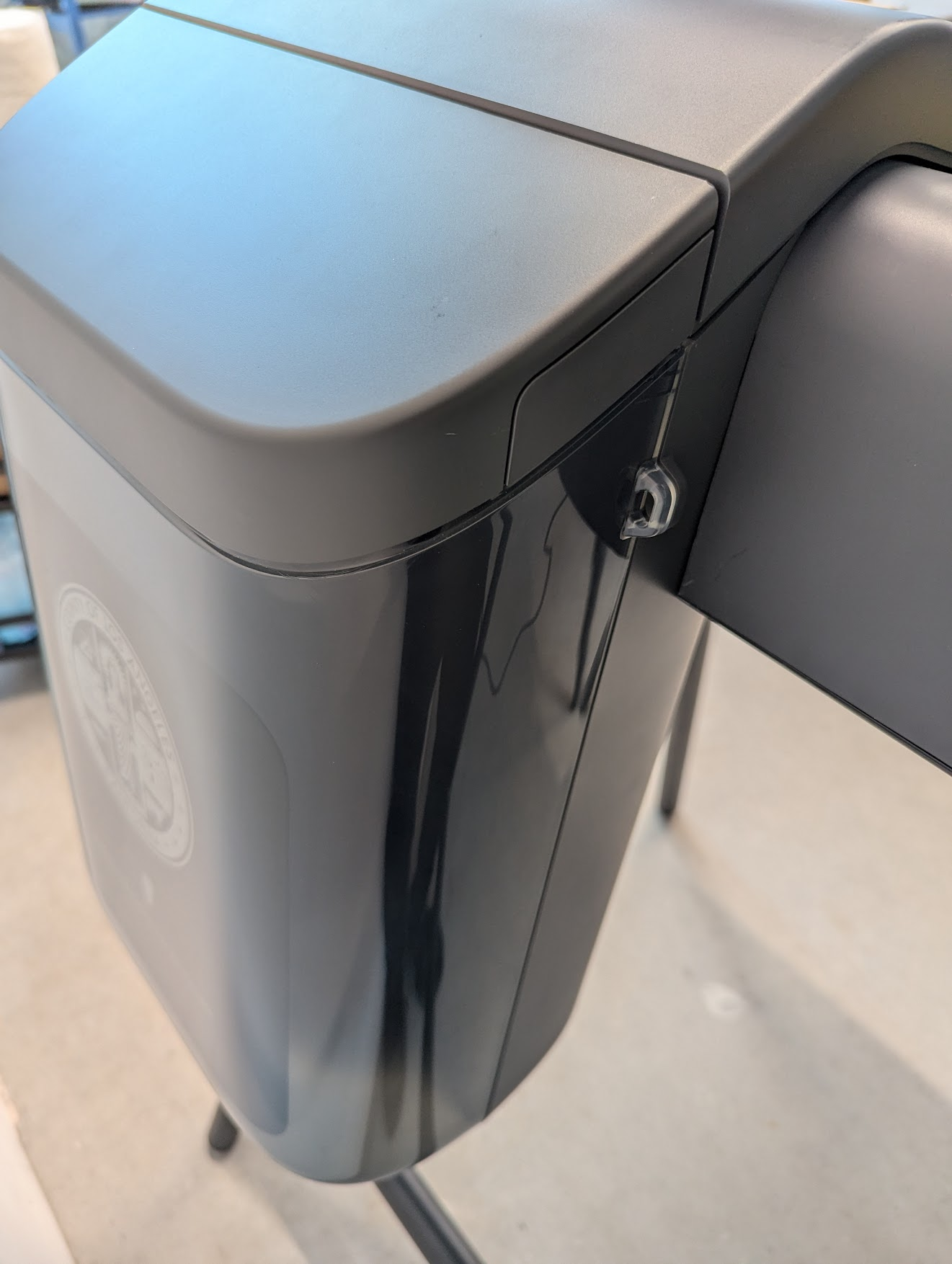
* [ ] Document and seal the ballot bin (loop on right side) as required

<div><figure><img src="https://2752676040-files.gitbook.io/~/files/v0/b/gitbook-x-prod.appspot.com/o/spaces%2FJtZutzGTdCzsGITrdiph%2Fuploads%2Fgit-blob-84b7d9ccdb817add09dd9ef97ae59a28b2cc0082%2FVxMark%20open%20printer%20cover.png?alt=media" alt=""><figcaption><p>Push the printer cover button</p></figcaption></figure> <figure><img src="https://2752676040-files.gitbook.io/~/files/v0/b/gitbook-x-prod.appspot.com/o/spaces%2FJtZutzGTdCzsGITrdiph%2Fuploads%2Fgit-blob-0a6b07460a50f92147f10ff0433cf246c9a34553%2FVxMark%20printer%20cover%20open.png?alt=media" alt=""><figcaption><p>Open the printer cover</p></figcaption></figure> <figure><img src="https://2752676040-files.gitbook.io/~/files/v0/b/gitbook-x-prod.appspot.com/o/spaces%2FJtZutzGTdCzsGITrdiph%2Fuploads%2Fgit-blob-91644b88f5900b9116c6fd0c135829f151040e1f%2FVxMark%20ballot%20bin.png?alt=media" alt=""><figcaption><p>Ballot bin</p></figcaption></figure> <figure><img src="https://2752676040-files.gitbook.io/~/files/v0/b/gitbook-x-prod.appspot.com/o/spaces%2FJtZutzGTdCzsGITrdiph%2Fuploads%2Fgit-blob-6369558a8b9d84c768e263b1a45e0929f6b6e259%2FVxMark%20ballot%20bin%20attached.png?alt=media" alt=""><figcaption><p>Slide ballot bin into place</p></figcaption></figure> <figure><img src="https://2752676040-files.gitbook.io/~/files/v0/b/gitbook-x-prod.appspot.com/o/spaces%2FJtZutzGTdCzsGITrdiph%2Fuploads%2Fgit-blob-8ae370524567613450b14e389dd3a410ea921679%2FVxMark%20ballot%20bin%20seal.png?alt=media" alt=""><figcaption><p>Document and seal as required</p></figcaption></figure></div>

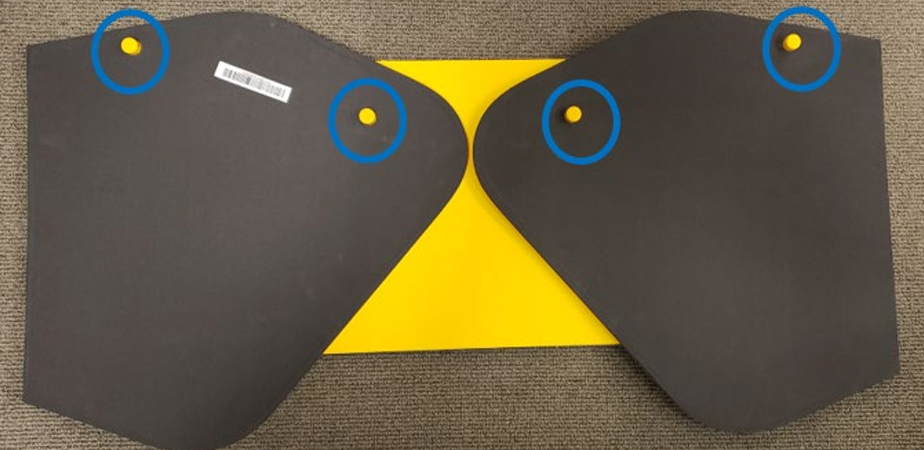
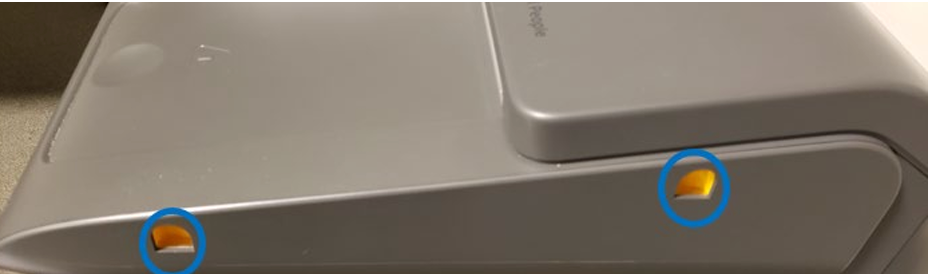
* [ ] Place the privacy shield pegs in the holes on each side of the ballot marking device

<div><figure><img src="https://2752676040-files.gitbook.io/~/files/v0/b/gitbook-x-prod.appspot.com/o/spaces%2FJtZutzGTdCzsGITrdiph%2Fuploads%2Fgit-blob-734ea140ed426762ac28b0f0f5e043434b62285b%2FVxMark%20privacy%20shield%20pegs%20highlighted.png?alt=media" alt=""><figcaption><p>Privacy shield pegs</p></figcaption></figure> <figure><img src="https://2752676040-files.gitbook.io/~/files/v0/b/gitbook-x-prod.appspot.com/o/spaces%2FJtZutzGTdCzsGITrdiph%2Fuploads%2Fgit-blob-818c6f7debeb18cf8266577ff26b55aab6553861%2FVxMark%20privacy%20shield%20holes.png?alt=media" alt=""><figcaption><p>Privacy shield holes</p></figcaption></figure> <figure><img src="https://2752676040-files.gitbook.io/~/files/v0/b/gitbook-x-prod.appspot.com/o/spaces%2FJtZutzGTdCzsGITrdiph%2Fuploads%2Fgit-blob-00d3d0b7098348d4a0341900dae7c51d849fa018%2FVxMark%20privacy%20shield%20installed.png?alt=media" alt=""><figcaption><p>Privacy shield installed</p></figcaption></figure></div>

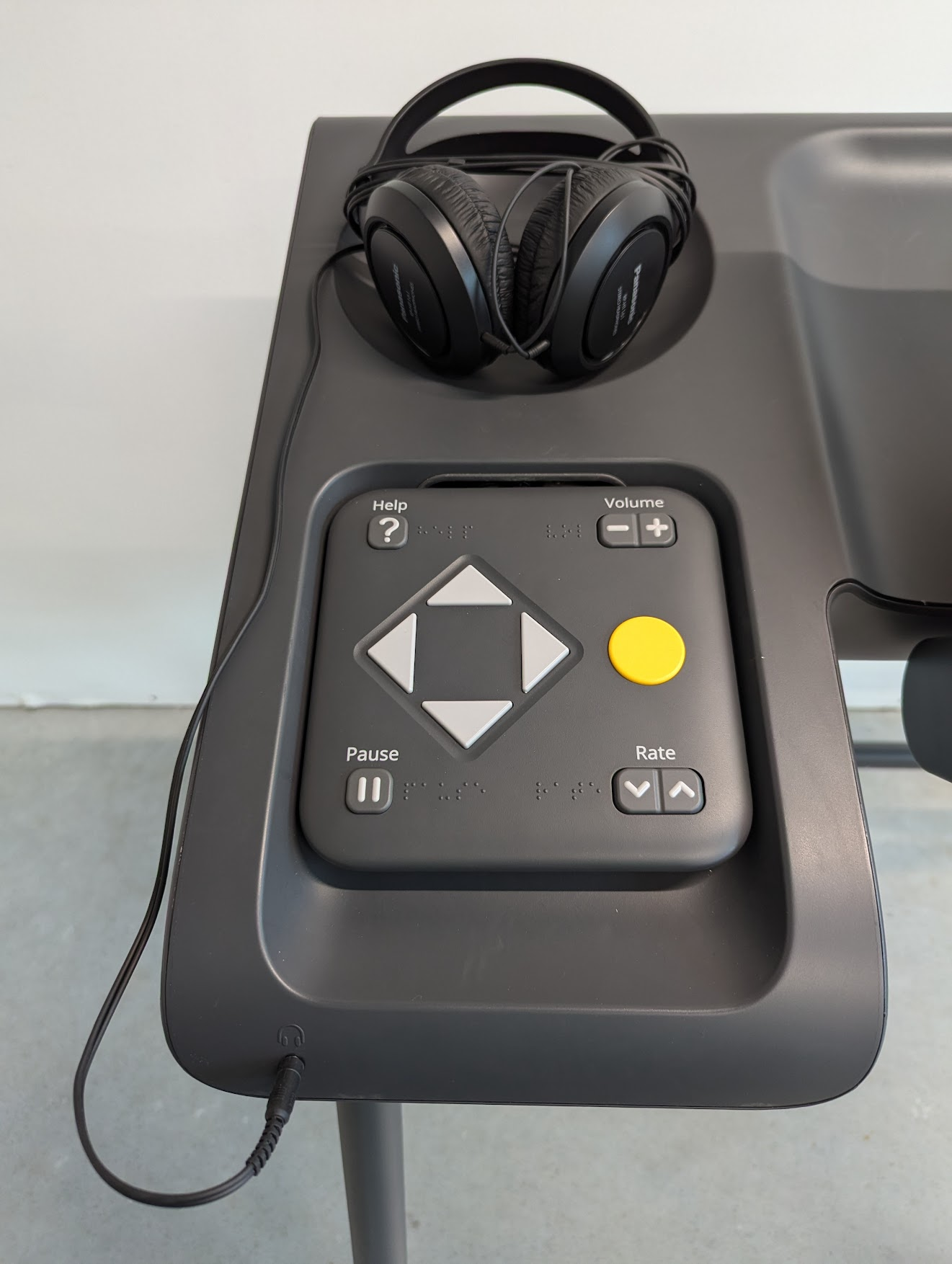
* [ ] Plug the headphones into the front headphone jack
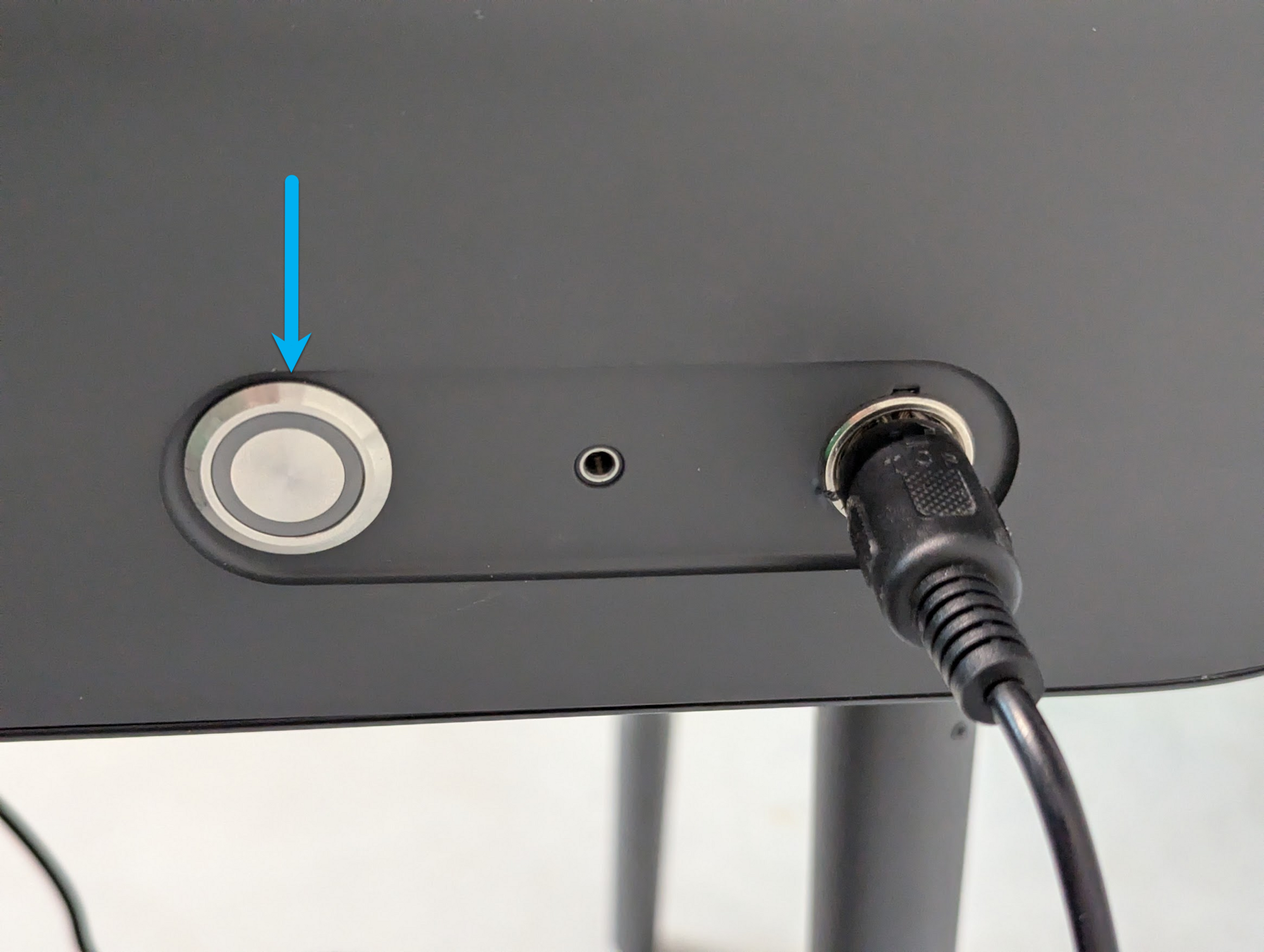
* [ ] Push the power button to turn VxMarkScan on

<div><figure><img src="https://2752676040-files.gitbook.io/~/files/v0/b/gitbook-x-prod.appspot.com/o/spaces%2FJtZutzGTdCzsGITrdiph%2Fuploads%2Fgit-blob-5fe8a86929883d93bd0a6617bb4ac12d0b113285%2Fimage.png?alt=media" alt="" width="188"><figcaption><p>Plug the headphones in</p></figcaption></figure> <figure><img src="https://2752676040-files.gitbook.io/~/files/v0/b/gitbook-x-prod.appspot.com/o/spaces%2FJtZutzGTdCzsGITrdiph%2Fuploads%2Fgit-blob-50b5da6542095fb581ed28d2ce6347a1a700e34a%2FVxMark%20power%20button.png?alt=media" alt="" width="375"><figcaption><p>Push the power button to turn on</p></figcaption></figure></div>

The VxMarkScan is set up.

## Cleaning VxMarkScan

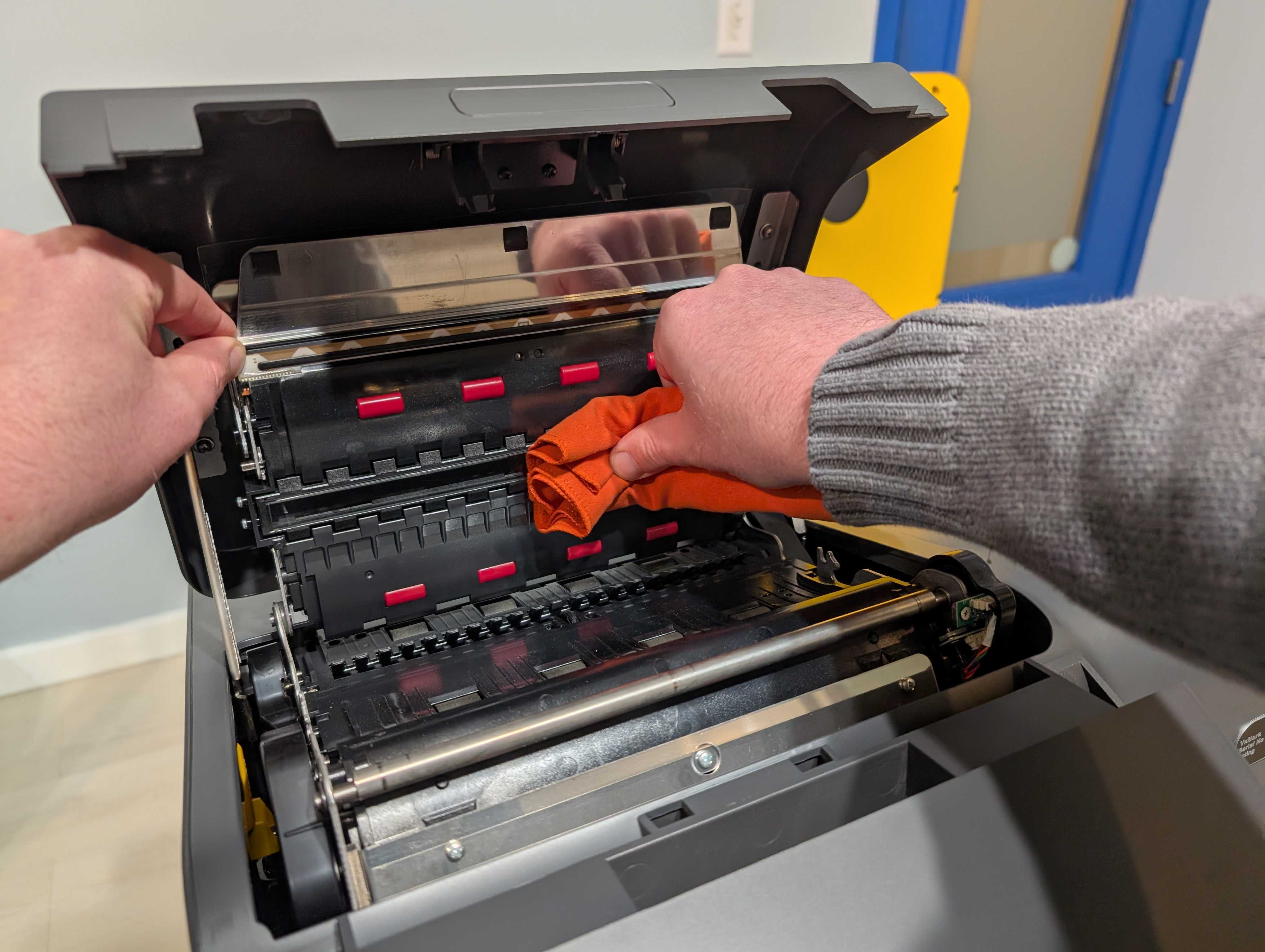
The scanner should be cleaned for every election with scanner cleaning solution (see [supply-list](https://docs.voting.works/vxsuite-user-manual-v4/miscellaneous/supply-list "mention")) and a lint-free or microfiber cloth.

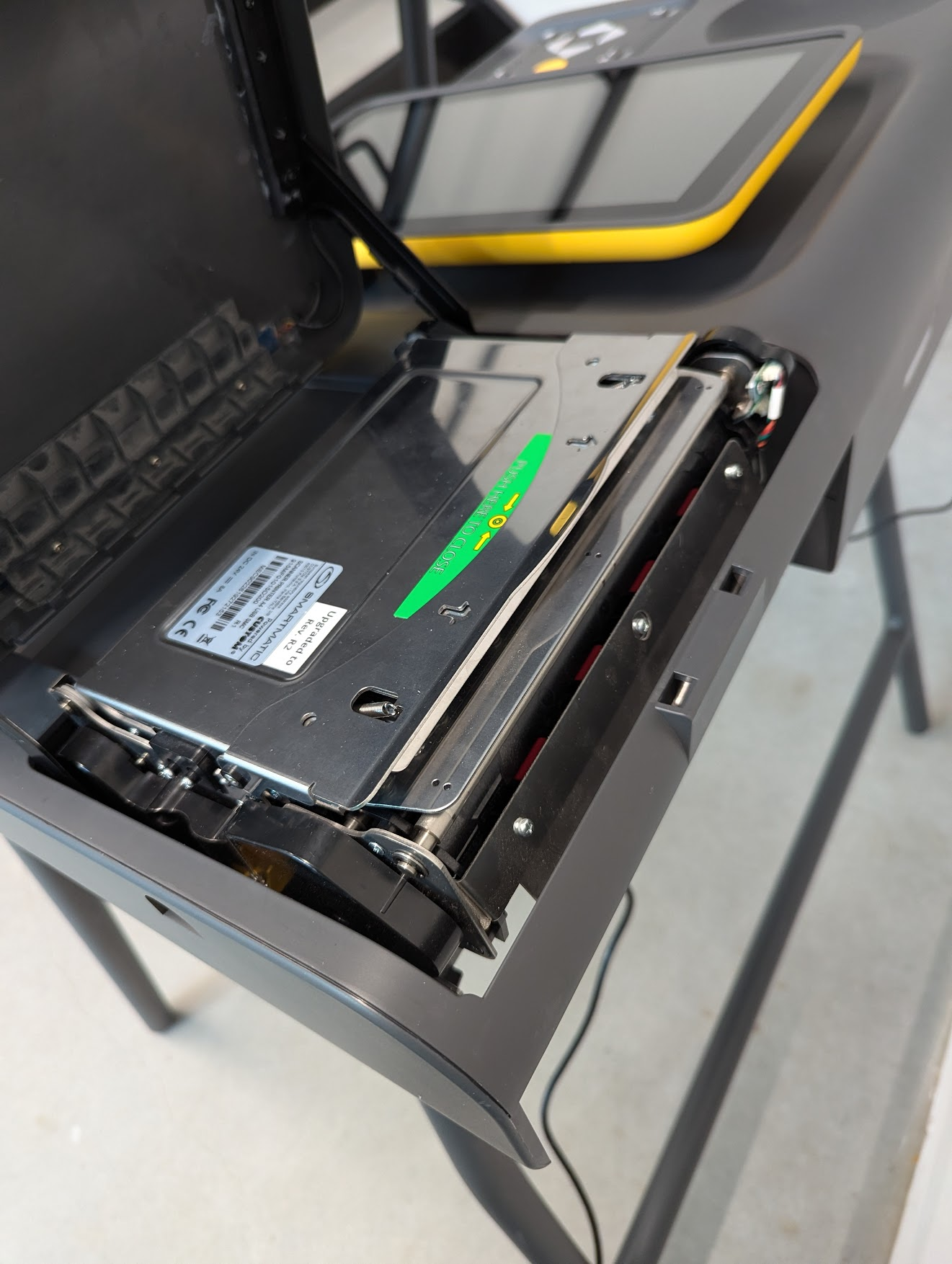
* [ ] Press printer cover button to open printer cover
* [ ] Open scanner by lifting the metal piece above the green sticker
* [ ] Apply cleaning solution to cloth and wipe the inside of the scanner with moderate force
  * [ ] Clean scanner glass
  * [ ] Clean rollers
* [ ] Close scanner by pressing down on the green sticker until the scanner clicks into place
* [ ] Close printer cover until it clicks into place

<figure><img src="https://2752676040-files.gitbook.io/~/files/v0/b/gitbook-x-prod.appspot.com/o/spaces%2FJtZutzGTdCzsGITrdiph%2Fuploads%2Fgit-blob-135f56a6c4e4b9bcb1d79952be440fd5e31d127d%2FPXL_20241125_224803109.jpg?alt=media" alt="" width="563"><figcaption></figcaption></figure>