> For the complete documentation index, see [llms.txt](https://docs.voting.works/vxsuite-tdp-v4/llms.txt). Markdown versions of documentation pages are available by appending `.md` to page URLs; this page is available as [Markdown](https://docs.voting.works/vxsuite-tdp-v4/readme/vxadmin-results-exports/tally-reports.md).

# Tally Reports

## Basic Structure

The basic structure of the tally reports printed from VxAdmin is similar to the [polls opened and closed reports](/vxsuite-tdp-v4/readme/vxscan-polls-reports.md) printed from VxScan.

<figure><img src="/files/u5XMeIHLADaM5hTq0iTu" alt="" width="375"><figcaption><p>Full election tally report</p></figcaption></figure>

## Filtered and Grouped Reports

In addition to the full election report, VxAdmin exports reports filtered or grouped by the following dimensions:

* Ballot Style
* Precinct
* Voting Method
* Scanner
* Batch
* District (filtering only)

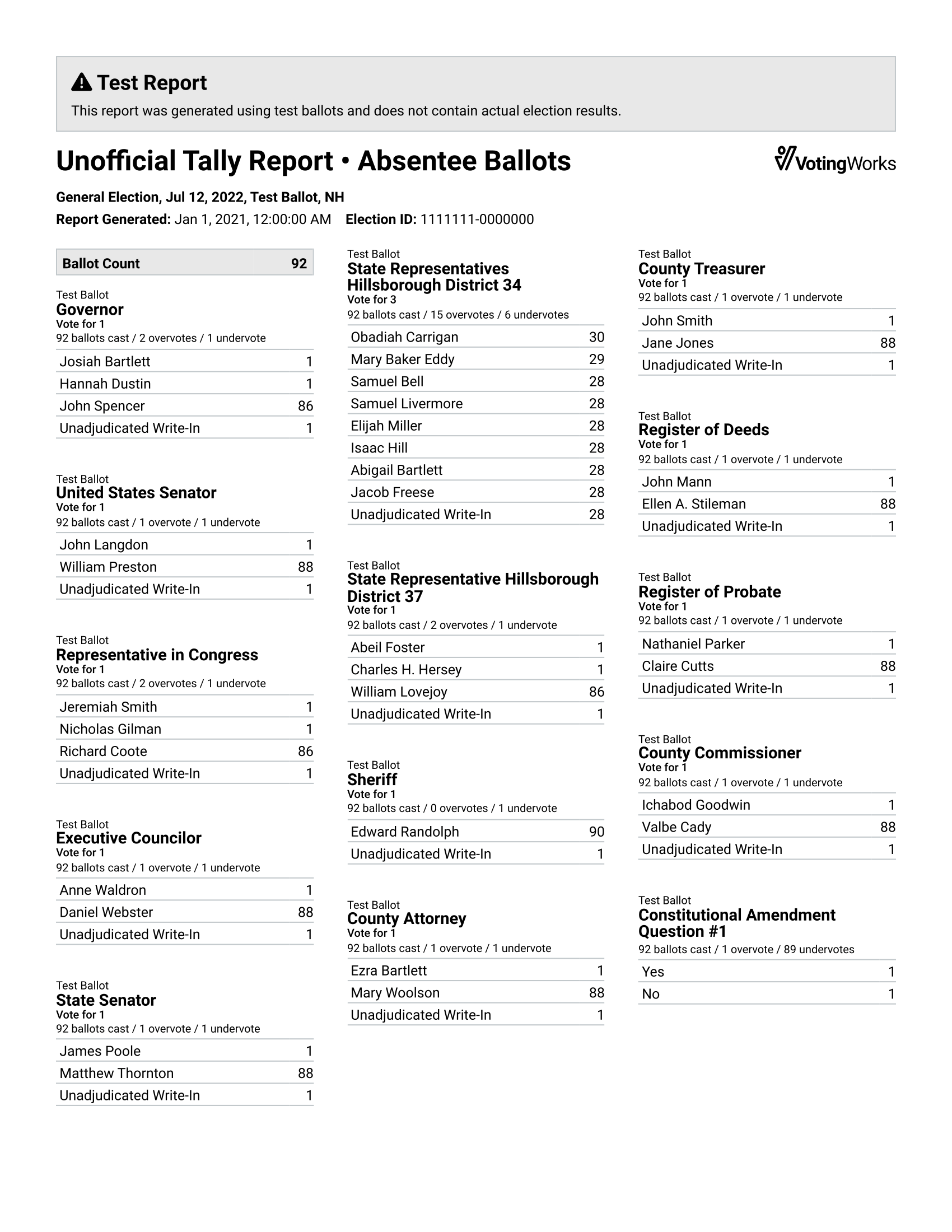
When a report is grouped, the report is broken up into multiple sections each with their own filter. For example, if you were to group by "Voting Method," the resulting report would have a section filtered for precinct ballots only and a section filtered for absentee ballots only:

<div><figure><img src="/files/K4Fm6NhlmoTaGXDuQAsA" alt="" width="375"><figcaption><p>First part of a grouped tally report</p></figcaption></figure> <figure><img src="/files/fnd3rKONmJP1hqo5ymlB" alt="" width="375"><figcaption><p>Second part of a grouped tally report</p></figcaption></figure></div>

The filter for a given report section is indicated in the title of the report. If the report has more than one filter applied to it, the full details of the filter will be specified in a box below the title:

<figure><img src="/files/Fwgr8UNzX2vTnJDnQUYY" alt="" width="375"><figcaption><p>Tally report with a complex filter</p></figcaption></figure>

Note that filters and groups can be combined.

## Manual Results

If manual results have been added, they will be included in the tally report alongside the scanned results. For each contest, there will be three results columns: "scanned", "manual", and "total".

<figure><img src="/files/cYLEJ0FysNyHVndJxohC" alt="" width="375"><figcaption><p>Tally report with manual results</p></figcaption></figure>

## Write-In Candidate Aggregation

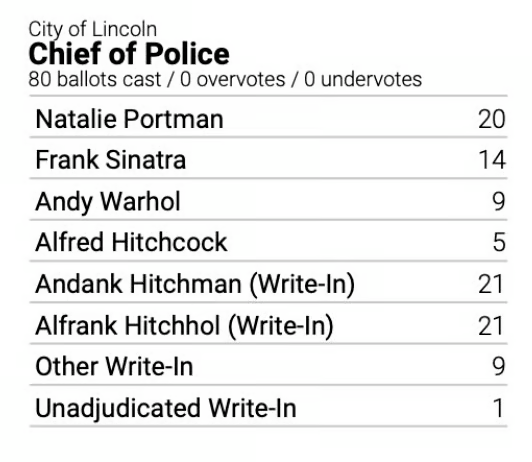
In order to prevent a long list of write-in candidates from making contest results difficult to read, VxAdmin tally reports consolidate write-in candidates if they're not relevant to the contest outcome. Relevant write-ins are included as "\<Name> (Write-In)". Irrelevant write-ins are consolidated as "Write-In" or, if there are relevant write-ins in the list, "Other Write-In". Unadjudicated write-ins are always consolidated as "Unadjudicated Write-In." A write-in is deemed relevant if it has won.

<div><figure><img src="/files/ve04dttua6P4vwzI03FA" alt="" width="407"><figcaption><p>Before adjudication</p></figcaption></figure> <figure><img src="/files/fKfEv75s5QhYJ4Lxp1lq" alt="" width="392"><figcaption><p>Adjudication just started</p></figcaption></figure> <figure><img src="/files/D8nGLtUeMM0brObIBifF" alt="" width="399"><figcaption><p>Adjudication almost finished</p></figcaption></figure></div>


---

# Agent Instructions
This documentation is published with GitBook. GitBook is the documentation platform designed so that both humans and AI agents can read, navigate, and reason over technical content effectively. Learn more at gitbook.com.

## Querying This Documentation
If you need additional information that is not directly available in this page, you can query the documentation dynamically by asking a question.

Perform an HTTP GET request on the current page URL with the `ask` query parameter, and the optional `goal` query parameter:

```
GET https://docs.voting.works/vxsuite-tdp-v4/readme/vxadmin-results-exports/tally-reports.md?ask=<question>&goal=<endgoal>
```

`ask` is the immediate question: it should be specific, self-contained, and written in natural language.
`goal` is optional and describes the broader end goal you are ultimately trying to accomplish on behalf of the user. GitBook uses it to tailor the answer towards what is most useful for that goal.

The response will contain a direct answer to the question and relevant excerpts and sources from the documentation.

Use this mechanism when the answer is not explicitly present in the current page, you need clarification or additional context, or you want to retrieve related documentation sections.