Machine Marked Ballots

Ballot Layout

Ballot Component
Details
Multi-Lingual Ballots

QR Code
Last updated
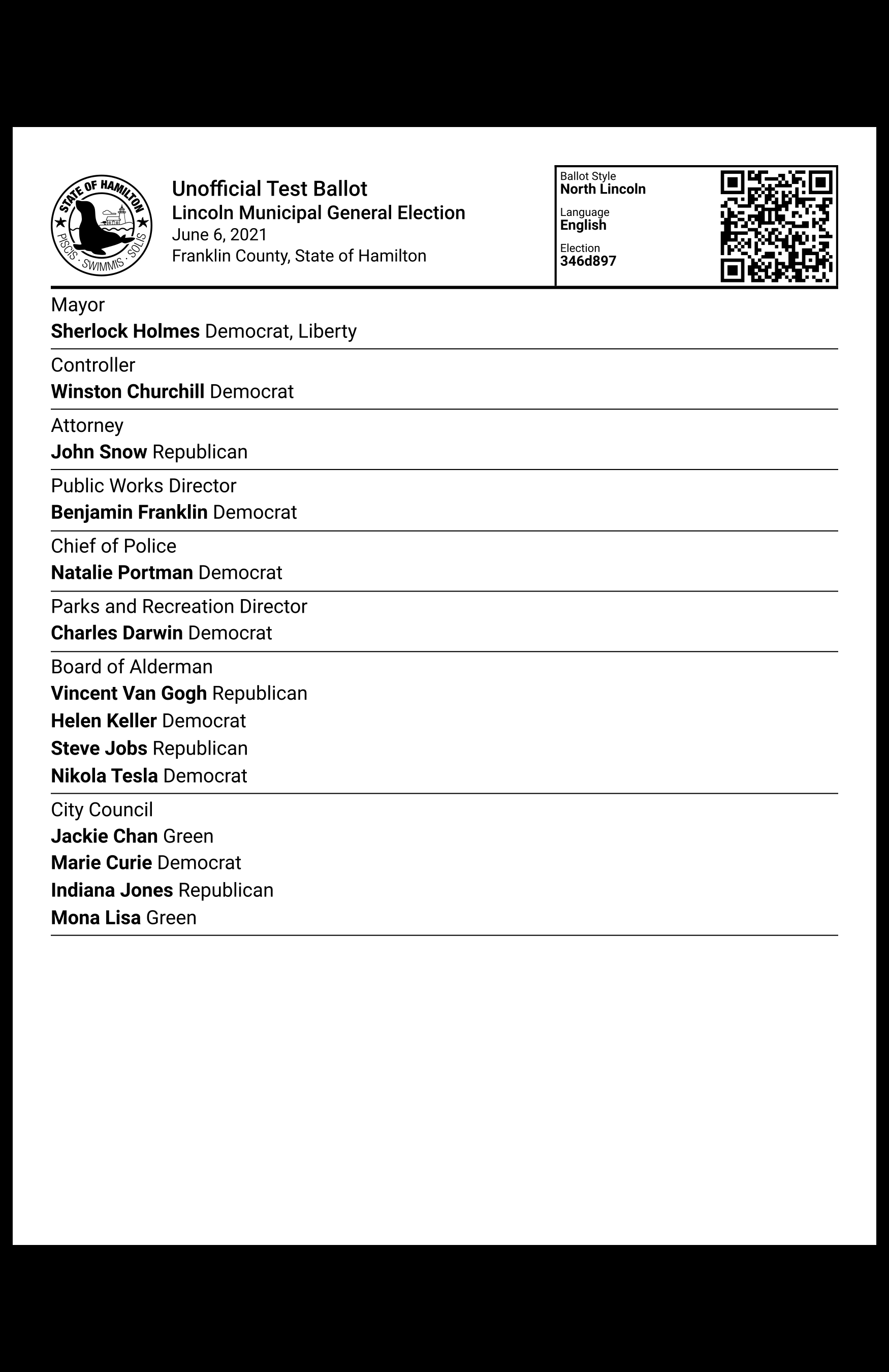
After a voter is done making vote selections with VxMarkScan, the machine will print a ballot representing the selections. The voter reviews the ballot and verifies ballot selections. The ballot is then cast into the attached ballot box.


The ballot displays information about the election, metadata about the ballot, and the voter's selections. The selections are both displayed and encoded in the QR code.
Election Seal
The seal included in the election definition
Ballot Title
The title is either "Unofficial Test Ballot" or "Official Ballot" depending whether VxMarkScan is in test mode
Election Metadata
Includes the election title, election date, state, and county
Ballot Metadata
Includes the ballot style identifier, the language, and the election identifier
QR Code
See QR Code
Contest Title
The contest title
Selection
The name of the candidate or label of the yes-no contest option that the voter selected
Party
The short party name associated with the selected candidate
The blank space at the top of the ballot is included so that all of the ballot content is visible when VxMarkScan presents the ballot for the voter to review (since the top part of the ballot is held in the machine).
If VxMarkScan is being used in a language other than English, the resulting ballot will be multi-lingual and feature the other language. All pieces of text that appear on the VxMarkScan ballot may have translations specified in the election definition's ballot strings, which will then be used when printing the ballot.

The QR codes on VxMarkScan ballots are different than the QR codes on hand marked ballots in that they actually contain voter selections in addition to the ballot metadata. For full specifications on how metadata and selections are encoded, refer to the Ballot QR Code Data Format.
Last updated